The best label makers range from pocket-size organizers to desktop printers built for shipping labels and business inventory. Choose by the label widths and devices you need to support, then weigh portability, included supplies, and app or computer workflow.
Quick Top Products
Phomemo D30
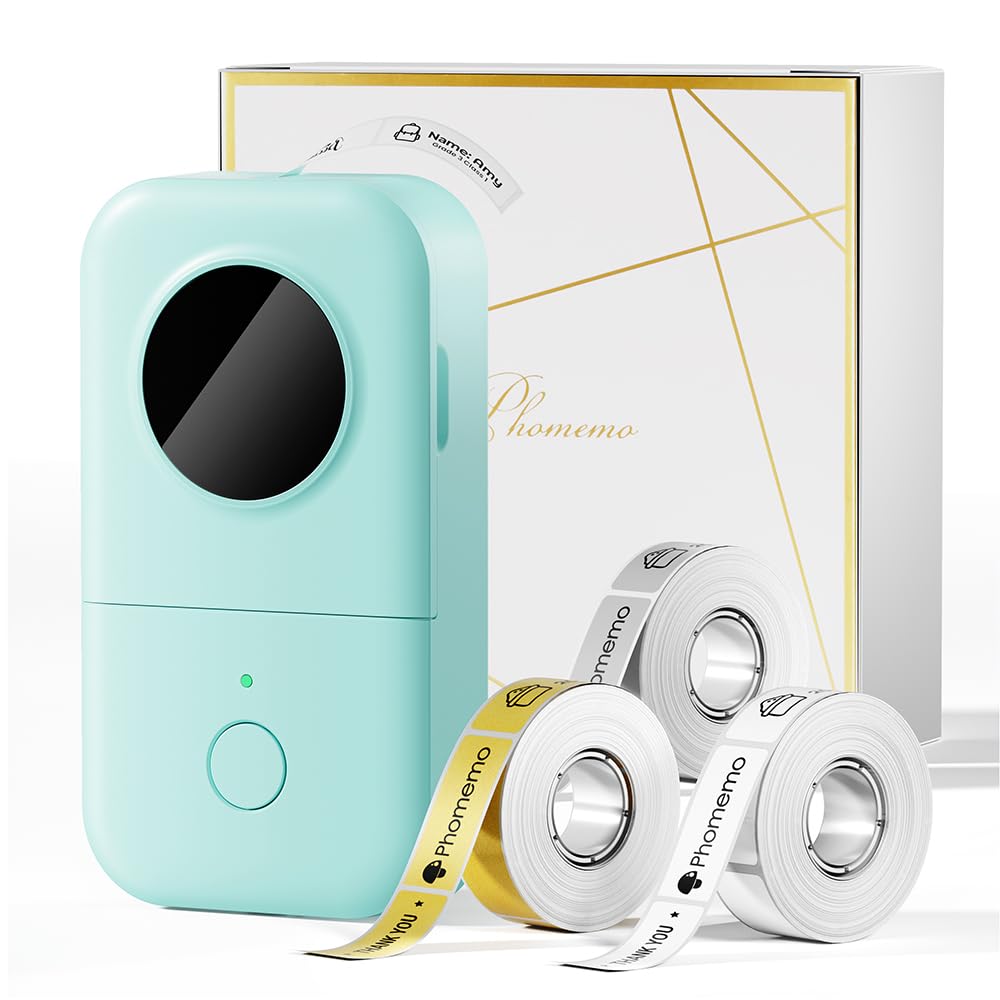
- Includes white, gold, and clear tape rolls.
- Supports fixed-length and continuous labels.
- Its app offers templates, symbols, frames, and fonts.
Best For: Home and school organizers who want a compact phone-connected printer with creative templates.

Nelko P21
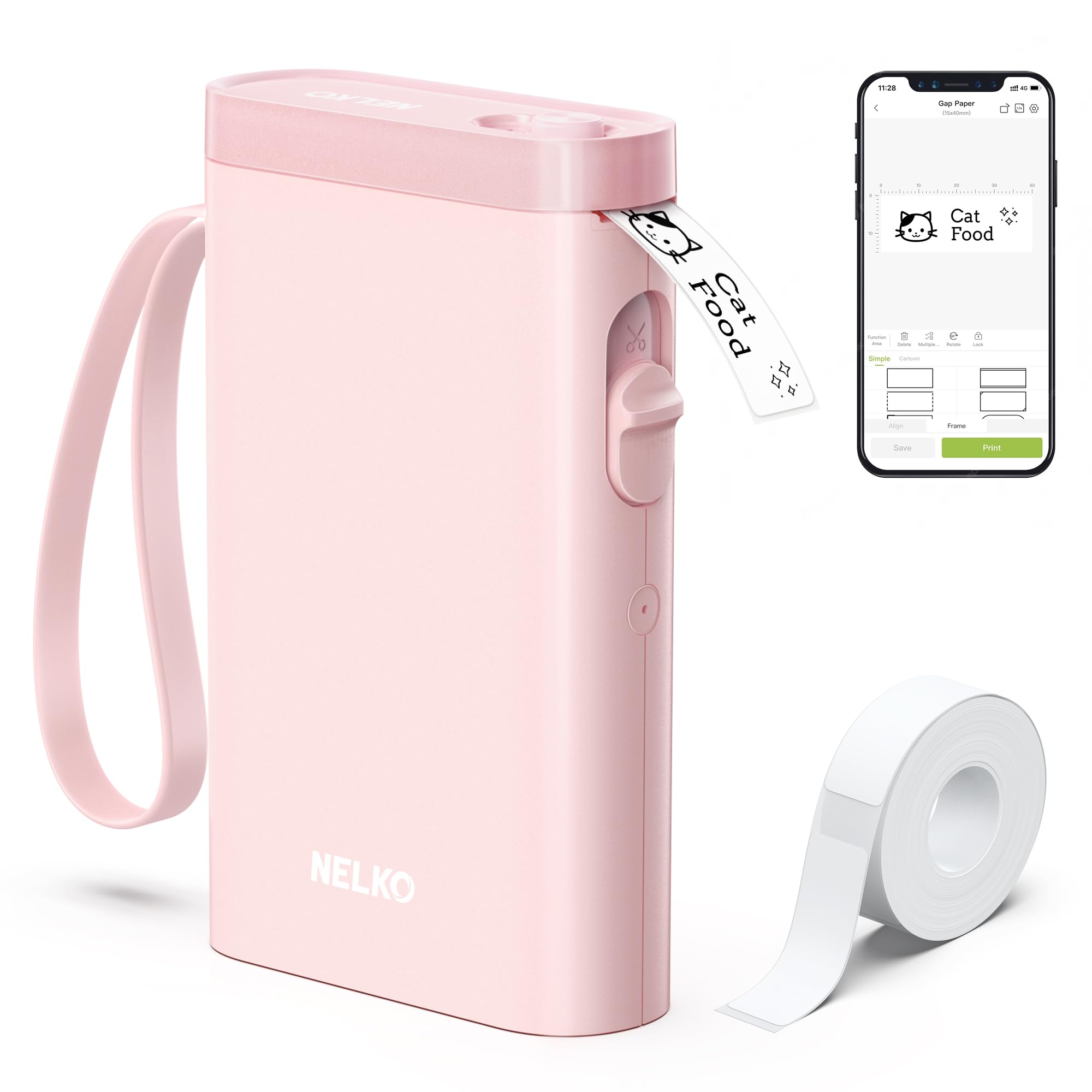
- Connects to iOS and Android phones using Bluetooth.
- Supports fixed label lengths rather than continuous tape.
- Its app includes templates, icons, borders, and languages.
Best For: Phone users making short home, classroom, or office labels from preset formats.
NIIMBOT D101
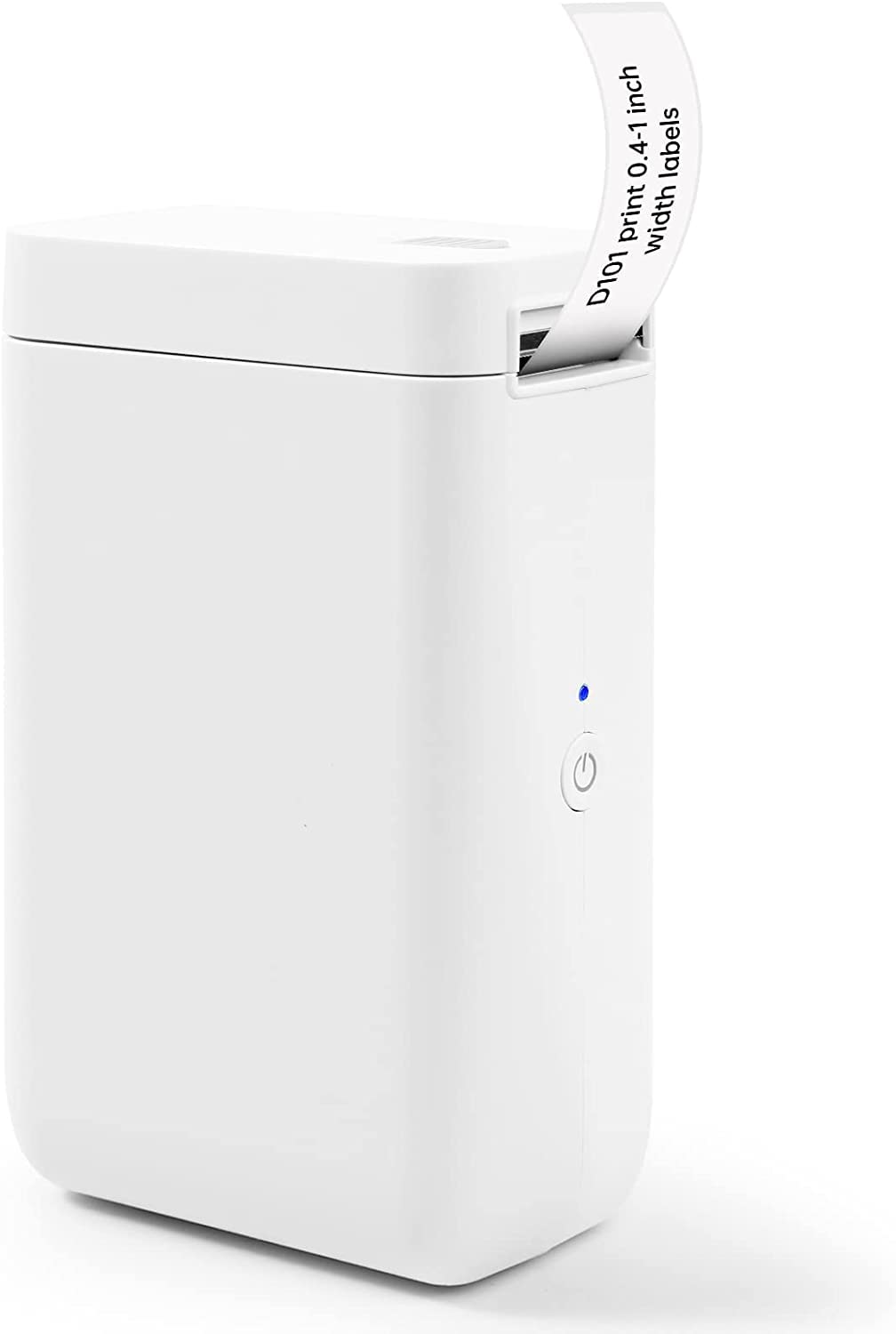
- Supports 0.5-inch and 1-inch label tapes.
- App tools include barcodes, QR codes, and image recognition.
- Rechargeable battery is described for up to two months of use per charge.
Best For: Home and office organizers who need to switch between two supported label widths.
Phomemo P12
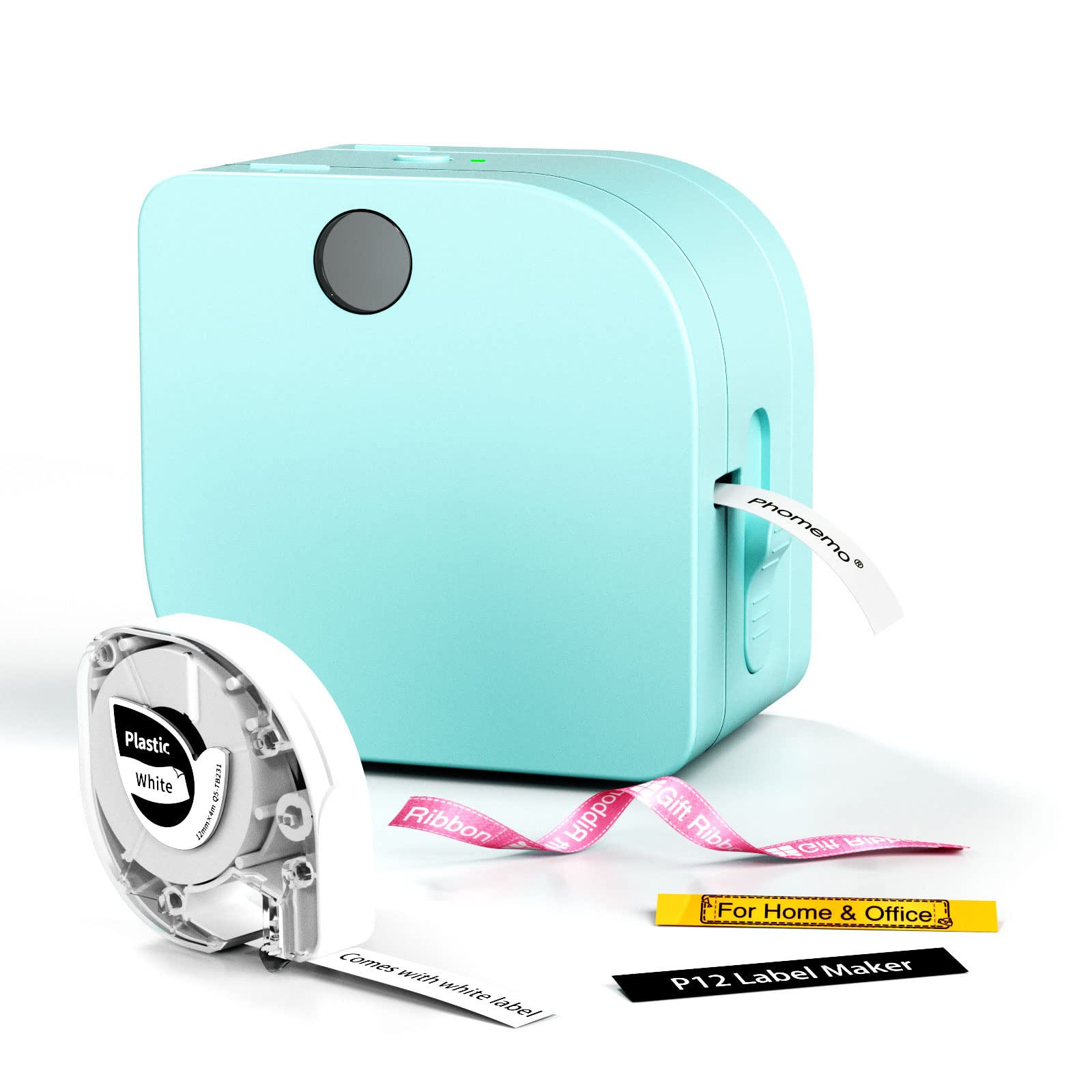
- Supports thermal labels and thermal-transfer labels.
- App offers fonts, borders, symbols, and batch-oriented tools.
- Can use the included USB-C cable or six AAA batteries.
Best For: Teachers and home organizers who want app-designed labels and a choice of USB-C power or batteries.
Memoqueen M110
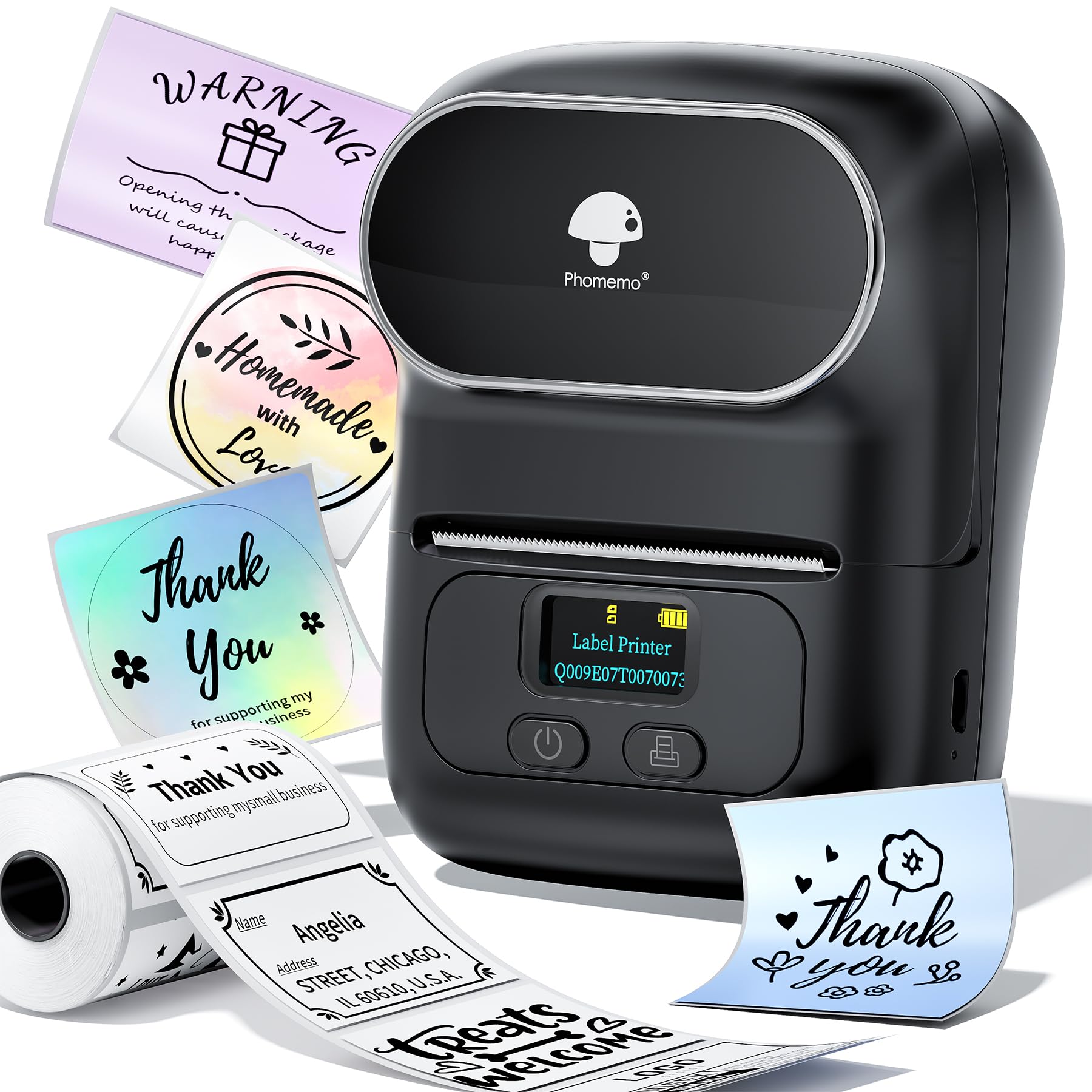
- Supports labels from 20mm to 50mm wide.
- Includes one 40×30mm thermal label roll.
- App supports Excel batch printing and OCR.
Best For: Small sellers who need portable product, price, or barcode labels and Excel batch printing.
Phomemo M221
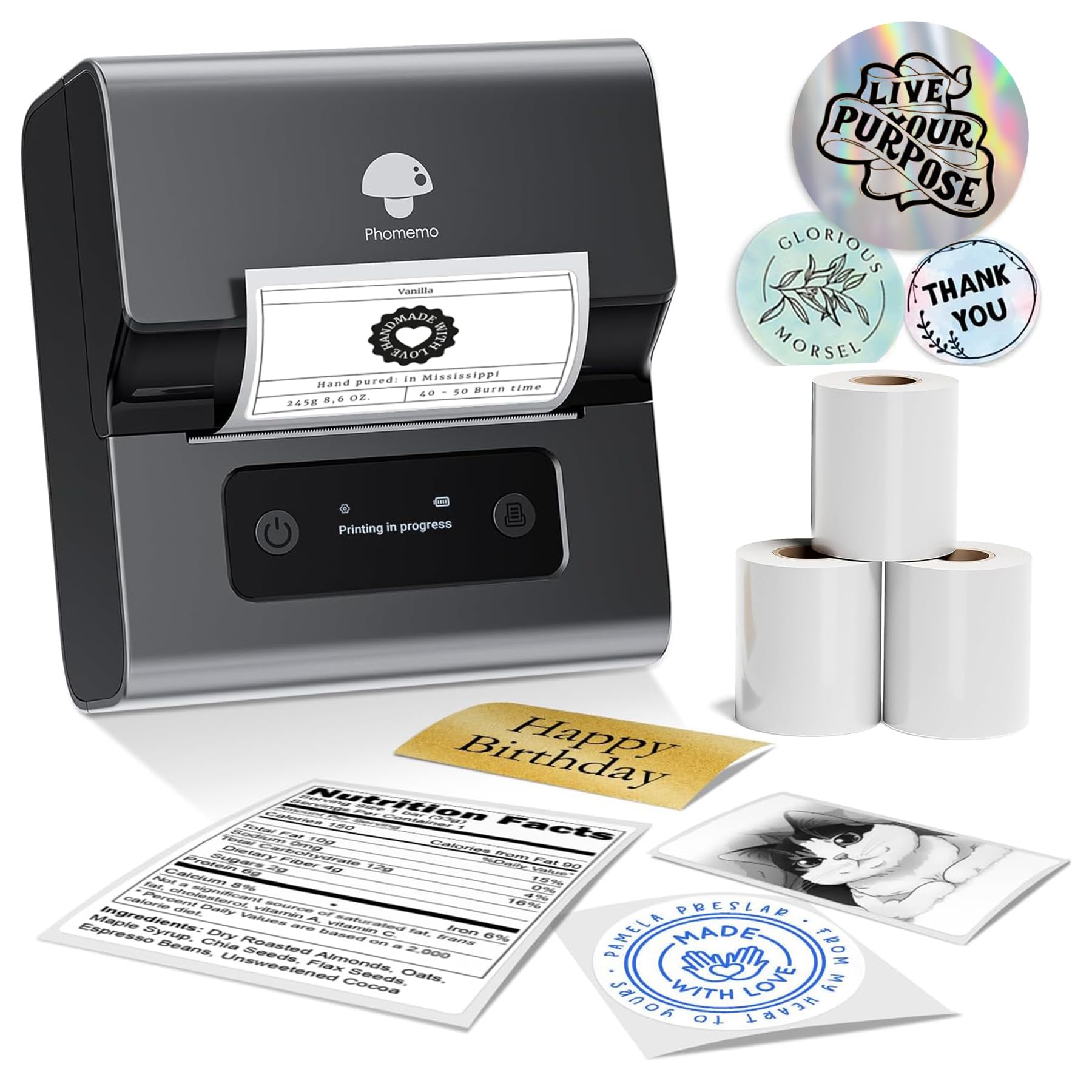
- Supports label widths from 0.78 to 3.14 inches.
- Connects to phones, tablets, or PCs using Bluetooth.
- Rolls load with side clips and no tools.
Best For: Home and small-business users who want labels up to three inches wide and straightforward roll loading.
Nelko PM220
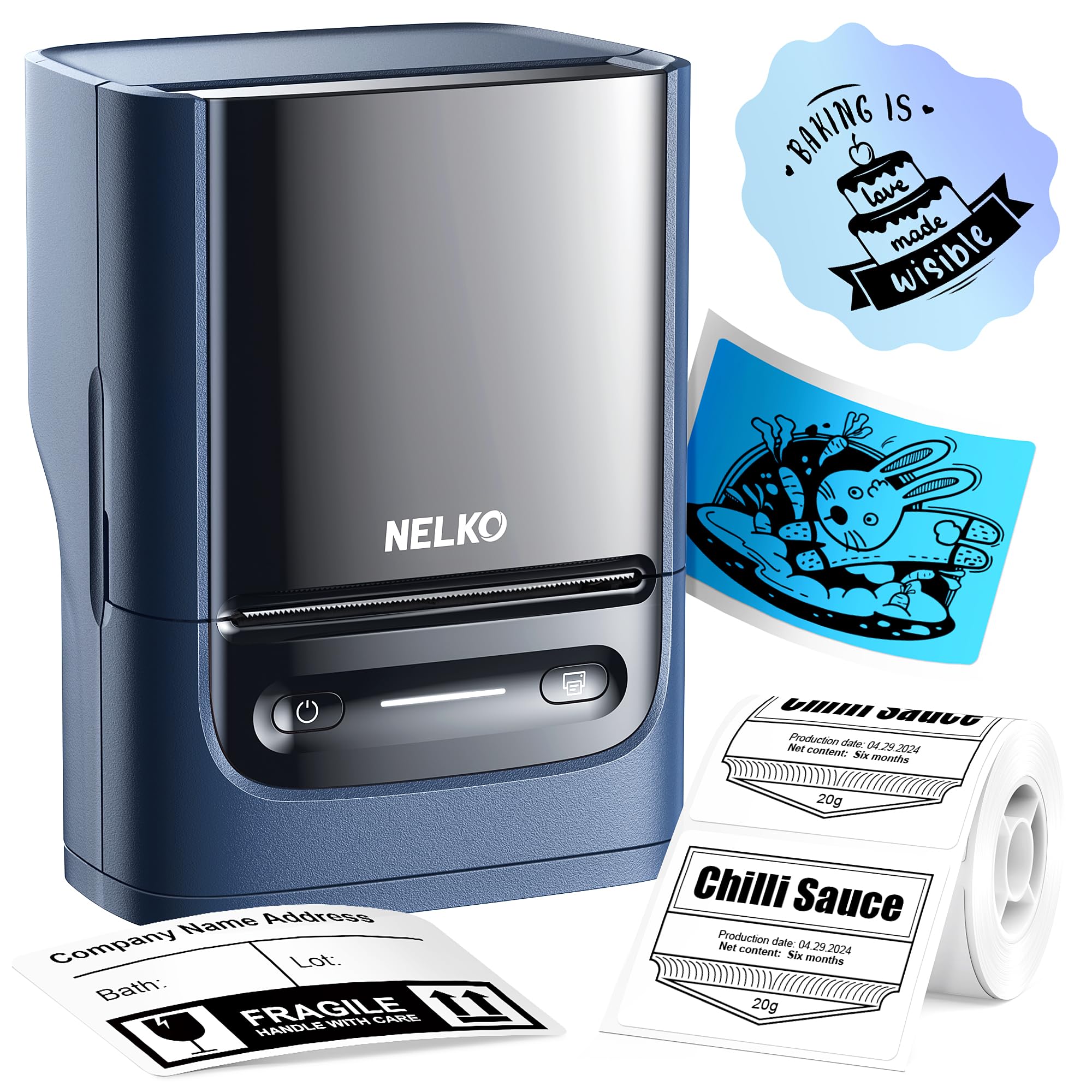
- Supports label widths from 0.91 to 2.12 inches.
- Works with phones and PCs using their respective app setup.
- App includes fonts, languages, and material templates.
Best For: Small businesses that need a compact label maker usable from phones or a computer.
NIIMBOT B21
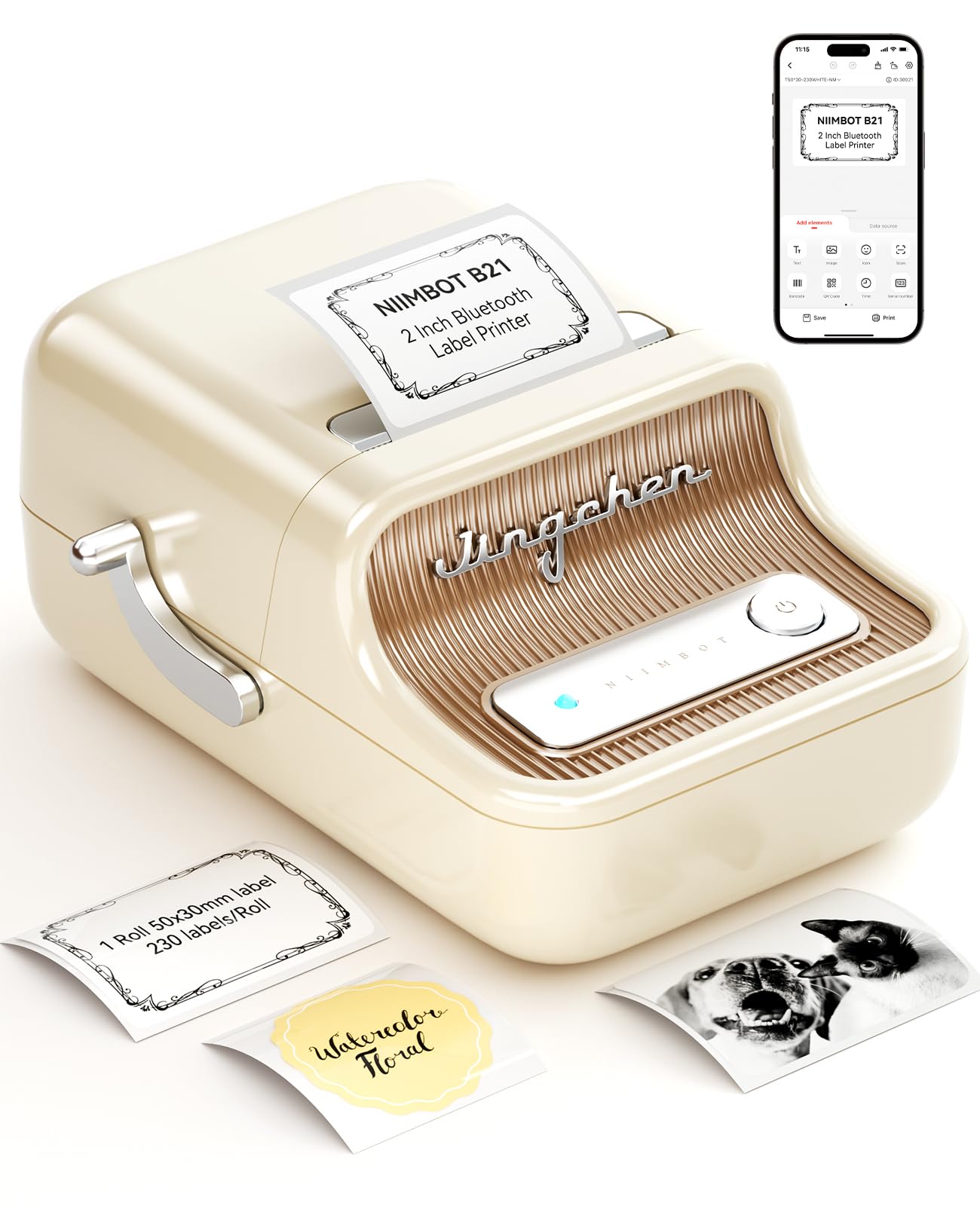
- Supports label widths from 0.8 to 2 inches.
- App includes template matching, image recognition, and batch printing.
- One charge supports four hours of work.
Best For: Retail, craft, and home users making small product, address, or gift labels from a phone.
Phomemo M250
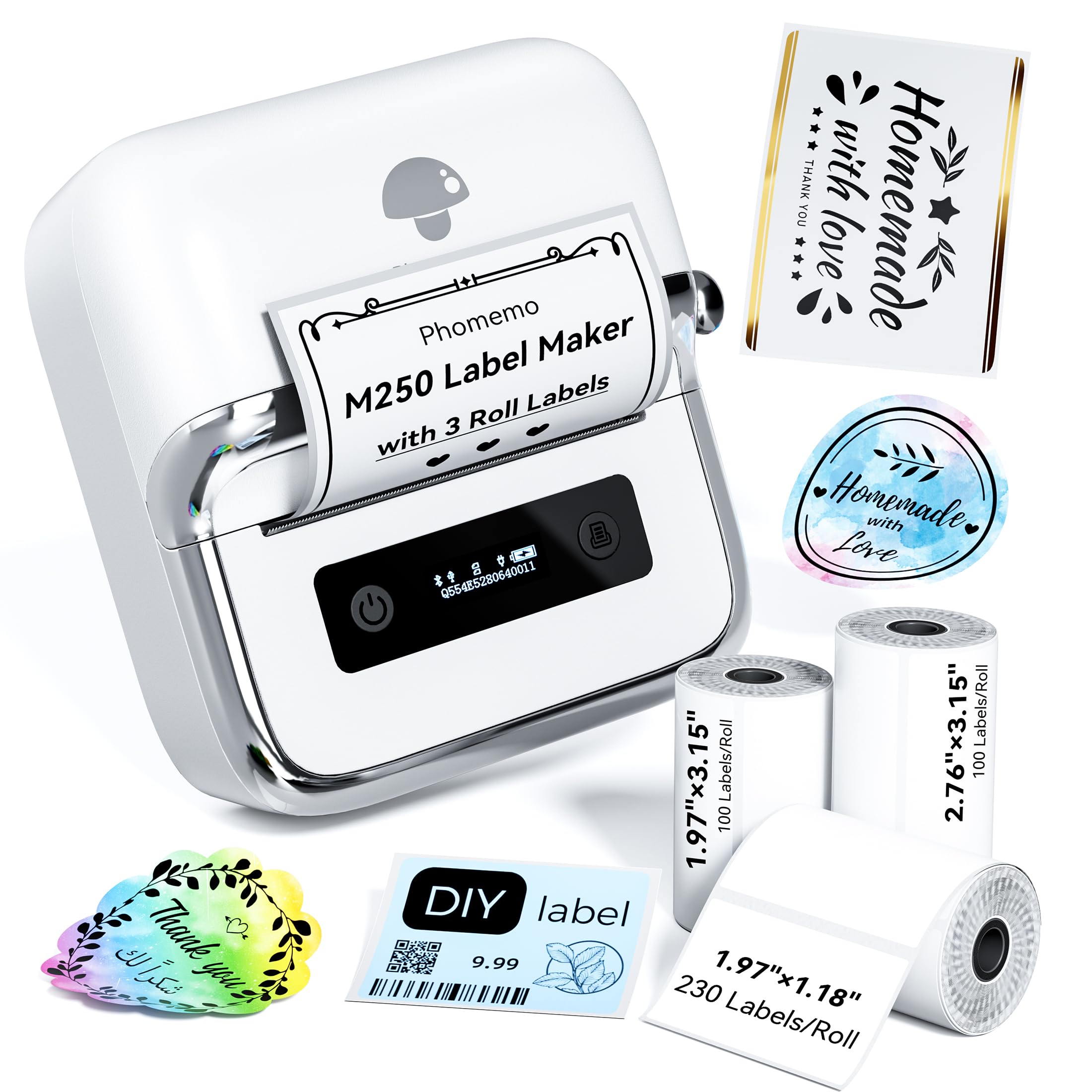
- Includes three label rolls in different sizes.
- Supports labels from 20 to 75mm wide.
- App supports batch printing and QR codes.
Best For: Users who want a portable wider-format maker with several included label sizes.
Phomemo D530 Pro
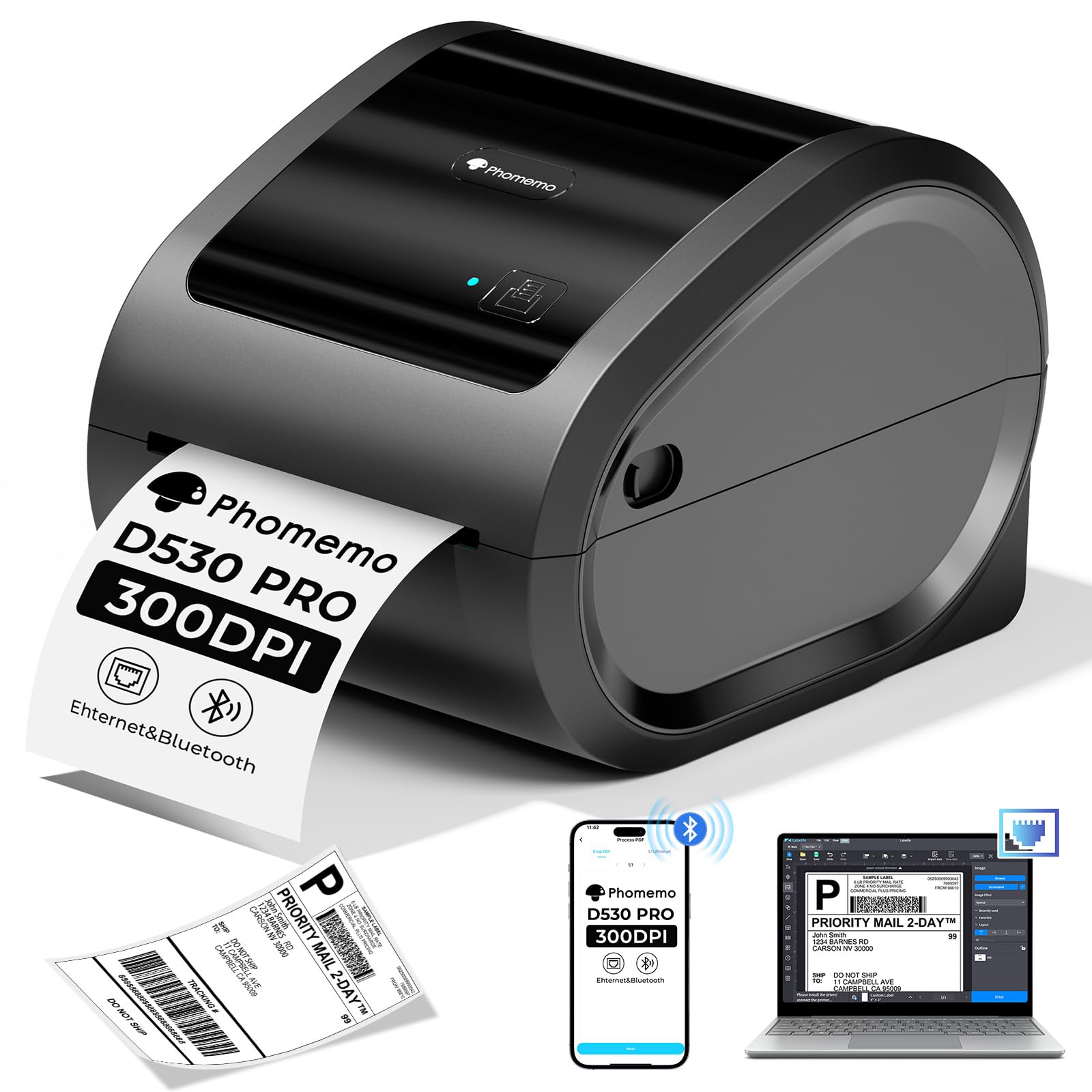
- Offers Bluetooth, Ethernet, and USB connections.
- Built-in bin holds up to 500 4×6 labels.
- Prints at 300 DPI and up to 150mm/s.
Best For: Small-business workspaces that need 4×6 shipping labels and wired network connectivity.
Pocket-Friendly Template Variety
Phomemo Label Maker Machine with Tapes - White/Clear/Gold Labels, D30 Portable Handheld Bluetooth Mini Label Makers, Multiple Templates Fonts Icon, Thermal Small Label Printer Rechargeable for Home
The Phomemo D30 is a pocket-size Bluetooth label maker for people who design labels on a phone. Its app supports templates, fonts, symbols, frames, barcodes, QR codes, images, and spreadsheet import, giving it range for pantry jars, school supplies, cable tags, and small business labels.
The package includes white, gold, and clear tapes, and the printer supports both fixed-length and continuous labels. It uses direct thermal printing, so output is black text; color effects come from patterned tape.
Check that the label format and app workflow fit your projects before choosing it.
Best For: Home and school organizers who want a compact phone-connected printer with creative templates.
| Pros | Cons |
|---|---|
|
|
Choose the D30 when phone-based design variety and portability matter more than wide-format output. Its support for continuous tape is useful for projects that need custom label lengths, while the three included tape colors make it ready for different organizing tasks.
Before buying, confirm that the tapes available for this model suit the labels you plan to make. The printer does not produce colored text, so a color look depends on the tape itself.
Fixed-Size Labels for Phone Users
Nelko Label Maker Machine with Tape, P21 Bluetooth Label Printer, Wireless Mini Label Makers with Multiple Templates for Organizing Office Home, Pink
The Nelko P21 is a compact Bluetooth label maker designed around an app workflow. Its app includes templates, icons, borders, and multiple languages, with tools for text, QR codes, barcodes, images, and time stamps.
The printer supports several fixed label lengths, rather than continuous tape, and connects with iOS and Android phones. Direct thermal output is monochrome, with patterned tape used for color effects.
The maker does not work with computers, and compatibility has a stated Android 14 exception for Google phones. Check the phone and label-size fit before purchase; the charging adapter is not included.
Best For: Phone users making short home, classroom, or office labels from preset formats.
| Pros | Cons |
|---|---|
|
|
The P21 fits buyers who mainly print preset-length labels from a phone and want many built-in design resources. Its fixed formats may suit school names, pantry tags, and reminders, but they limit custom-length work compared with continuous-tape models.
It also requires a compatible phone workflow, and the record notes a Google-phone Android 14 incompatibility. Verify your phone model and the dimensions of the label formats you need before choosing it.
Two Tape Widths in One Compact Maker
NIIMBOT Label Maker Machine D101 Label Printer Portable Wireless Connection Multiple Templates Available for Phone Easy to Use Office Home Organization USB Rechargeable
The NIIMBOT D101 is a rechargeable Bluetooth label maker intended for phone-based home, school, and office organization. Its distinguishing practical feature is support for both 0.5-inch and 1-inch label tapes, which can reduce the need to keep a separate maker for each width.
The app supports text, numbers, graphics, symbols, logos, barcodes, and QR codes, along with voice and picture recognition. It uses direct thermal printing at 203 DPI and does not require ink or toner.
The notes give a battery-use estimate, but label compatibility details beyond the two widths are not supplied, so check tape availability for your planned projects.
Best For: Home and office organizers who need to switch between two supported label widths.
| Pros | Cons |
|---|---|
|
|
Choose the D101 if two tape widths are more useful to you than a large template count or computer support. It is positioned for routine labeling around kitchens, storage, school supplies, and office files, and rechargeable operation avoids disposable batteries.
Confirm what tape formats are available for each width and whether the package includes the tape you want. The stated two-month battery estimate is not paired with a usage pattern, so frequent users should treat runtime as a buying detail to verify.
Flexible Power for Home and Classroom
Phomemo Label Maker Machine with Tape, P12 Bluetooth Small Label Maker with Multiple Templates Thermal Transfer Ribbon Printer Machine for Home, School, Teacher, Classroom
The Phomemo P12 supports both thermal labels and thermal-transfer labels, giving it options for everyday indoor organization and labels intended for more demanding settings. Its app connects over Bluetooth with iOS and Android phones and includes fonts, borders, symbols, and tools such as Excel import, barcode creation, scanning, OCR, and voice recognition.
The package supports two power approaches: a USB-C cable connected to an outlet or six AAA batteries, which are not included. The notes mention a built-in cutter and continuous printing.
Check which label type suits your use and whether you prefer a fixed power source or portable battery setup.
Best For: Teachers and home organizers who want app-designed labels and a choice of USB-C power or batteries.
| Pros | Cons |
|---|---|
|
|
The P12 is a practical fit if you want to choose between ordinary thermal labels and thermal-transfer stock for a project. Its app tools suit batch creation and custom designs, while USB-C power can keep it working at a desk and batteries allow use away from an outlet.
Factor in the cost and availability of compatible label types, and decide whether you will use USB-C or buy AAA batteries. The exact supported tape widths are not provided, so verify them for your intended labels.
Batch-Friendly Small-Business Labels
Memoqueen M110 Label Maker - M110 Barcode Label Printer Portable Bluetooth Maker Machine with Tape for Name Labels, Small Business, Address, Logo, Clothing Price Tag, Mailing, with 40x30mm Label
The Memoqueen M110 is a portable Bluetooth label maker for product identification and small-business tasks. It accepts label widths from 20mm to 50mm and comes with one 40×30mm thermal label roll.
The Print Master app provides templates and custom layout tools, including Excel batch printing and OCR that can turn text in photos into editable text. Its labels are described as available in several styles, including clear and colored options.
It is explicitly not for shipping labels, so choose a dedicated shipping printer for carrier forms. Check label stock availability and app requirements for your workflow.
Best For: Small sellers who need portable product, price, or barcode labels and Excel batch printing.
| Pros | Cons |
|---|---|
|
|
The M110 is a good match for small sellers who print product identifiers, prices, jewelry tags, or clothing labels from a phone. Excel batch printing is a useful distinction for repeat jobs, and the included 40×30mm roll lets you start with a defined format.
It does not replace a shipping label printer, so keep it for smaller product and organization labels. Before ordering refills, check that the preferred stock width and shape are available for this model.
Wider Labels with Tool-Free Loading
Phomemo M221 Label Maker Machine with 3 Tapes, 3 Inch Bluetooth Thermal No Ink Label Maker for Address, Barcode, Small Business, Home for Phone/PC, Space Gray, with 430 Pieces Labels | Bluetooth Thermal No Ink Label Maker for Address, Barcode, Small Business, Home for Phone/PC, Space Gray, with 430 Labels
The Phomemo M221 handles labels from 0.78 to 3.14 inches wide, placing it between compact small-label makers and wider desktop label printers. It uses Bluetooth to connect with a smartphone, tablet, or PC, and its app supports custom label design.
The label path uses side clips to secure rolls without tools, while an integrated holder and positioning system are intended to keep labels aligned. Thermal output avoids ink and toner.
The notes describe barcode, QR code, address, product, and organization uses. Check the exact label stock type and computer setup before buying, especially if you need wider labels.
Best For: Home and small-business users who want labels up to three inches wide and straightforward roll loading.
| Pros | Cons |
|---|---|
|
|
Choose the M221 when your labels need more width than a pocket-size maker supports. Tool-free loading and the integrated holder suit repeat use at a desk, while Bluetooth gives a phone or tablet workflow.
The record does not name computer operating systems or included roll sizes. Confirm those details and ensure your largest label fits within the supported width before ordering.
Phone and PC Support for Two-Inch Labels
Nelko Label Maker Machine with Tape, PM220 Bluetooth Label Printer, 2 Inch Portable Thermal Printer for Small Business, Address, Logo, Clothing, Sticker Printer for Phones & PC, Blue
The Nelko PM220 supports labels from 0.91 to 2.12 inches wide and connects with iOS and Android phones through the Nelko app. It also supports PC use with a separate driver and app, making it more flexible for buyers who design from a computer.
The app includes templates, fonts, languages, and materials, and can create QR codes, barcodes, tables, icons, and text. The printer uses direct thermal output, so it does not need ink or toner.
A label tape is included, while a charging adapter is not. Check driver availability and the label widths needed for your stock.
Best For: Small businesses that need a compact label maker usable from phones or a computer.
| Pros | Cons |
|---|---|
|
|
The PM220 makes sense if computer compatibility matters and your labels fit within its roughly two-inch maximum width. Its app offers a useful set of design elements for retail, craft, clothing, and address tags, while direct thermal printing keeps ink and toner out of the supply list.
Computer use requires downloading the matching driver and app; it is not simply a direct Bluetooth connection. Confirm your operating system and label dimensions, and account for a separate charging adapter.
Compact Maker for Small-Business Tags
NIIMBOT B21 Label Maker Inkless Bluetooth Label Printer, 2 Inch Portable Label Machine for Small Business, Address, Logo, Clothing, Mailing, Candles, Jewelry, Sticker Printer for Gift, White
The NIIMBOT B21 is a Bluetooth label maker for labels between 0.8 and 2 inches wide. It is aimed at tasks such as clothing, craft, retail, jewelry, address, barcode, date, and gift labeling.
Its app can match templates automatically and includes image recognition, Excel batch printing, code scanning, and a large collection of fonts and image materials. A charge is described as supporting four hours of work, with automatic shutdown after a pause.
It prints thermally without ink or toner. Check which label stock sizes are available and whether the app workflow suits your phone before choosing it.
Best For: Retail, craft, and home users making small product, address, or gift labels from a phone.
| Pros | Cons |
|---|---|
|
|
The B21 suits small labels for retail, crafts, jewelry, gifts, and home organization. Its app tools make it a stronger fit for repeat design work than a basic label maker, especially if you use spreadsheet data or scan codes.
The width range rules it out for wider shipping labels, and battery runtime is described as four hours without a stated usage pattern. Check the available B21 stock sizes and your preferred label material before buying.
Three-Inch Printing with Multiple Label Rolls
Phomemo M250 3 Inch Label Maker Machine with 3 Roll Labels | Bluetooth Thermal Label Printer, Upgrade Portable Barcode & Address Label Maker for Business, Home, School, Logo Label
The Phomemo M250 is a portable Bluetooth thermal label maker with support for 20–75mm-wide labels. The package includes three rolls in distinct sizes, so users can start with formats for files, jars, retail items, and workspace organization.
Its Print Master app supports templates, fonts, symbols, QR codes, batch printing, and voice input, with connections for Android, iOS, iPad, macOS, and Windows 7+. It can connect by Bluetooth or USB.
The notes describe a 2200mAh rechargeable battery and up to 5,000 labels per charge. Check that its maximum width and included label formats fit your work; it is designed for smaller labels.
Best For: Users who want a portable wider-format maker with several included label sizes.
| Pros | Cons |
|---|---|
|
|
Pick the M250 if you want more width and a selection of included rolls for different organizing tasks, plus both phone and computer connection options. It has a broader label range than pocket-size printers in this roundup, while remaining a smaller-label printer.
Its battery figure is given as a maximum, so actual yield will depend on your print jobs. Before buying, compare the included roll dimensions with your templates and confirm that compatible replacement stock is easy to source.
Ethernet Connectivity and High-Resolution Shipping Labels
Phomemo 300DPI Ethernet Thermal Label Printer 4x6 with Built-in Paper Bin
The Phomemo D530 Pro is a desktop thermal printer for shipping and other business labels, with Bluetooth, USB, and Ethernet connectivity. It supports label widths from 1 to 4.6 inches and includes a built-in paper bin that holds up to 500 labels.
The printer supports mobile devices and several computer platforms, including Windows, macOS, Linux, and ChromeOS. Its thermal print resolution is 300 DPI, and the notes give a speed of up to 150mm/s.
That combination fits shipping forms, barcodes, and product labels. Check your network setup and label stock dimensions; the printer outputs monochrome rather than color.
Best For: Small-business workspaces that need 4×6 shipping labels and wired network connectivity.
| Pros | Cons |
|---|---|
|
|
The D530 Pro is the fit for a small business that needs full-size shipping labels and wants Ethernet alongside USB and Bluetooth. Its built-in bin can hold a substantial roll, and the stated 300 DPI resolution is useful for text and barcodes.
It occupies a different role from portable app-based makers, so consider desk space and wired network needs. The product title does not mention included labels, so verify whether you need to buy stock separately.
How to Choose Label Makers
How We Picked Label Makers
This roundup includes pocket-size app-based makers, wider-format portable printers, and a desktop option for shipping labels. The selection emphasizes documented label widths, phone or computer connections, included supplies, and tools that change how people can use each device, such as continuous tape, Excel batch printing, or built-in roll storage.
A general label maker can serve kitchens, classrooms, retail tags, and office files, but those jobs do not all need the same machine. We kept models with distinct formats or workflows and excluded duplicate offers for the same model, as well as several printers whose main purpose is shipping.
Comparing Label Makers by Width and Workflow
Start with the label itself. The compact models use narrower stock for pantry, cable, school, and product labels.
The M221 and M250 reach wider formats for larger identifiers, while the D530 Pro supports widths up to 4.6 inches for shipping labels and other business forms. A printer that stops at three inches cannot replace a 4×6 shipping printer.
Next, check how labels are designed and sent to the printer. Several makers rely on a phone app, while the PM220, M221, and M250 include computer connections in their workflows.
If you create repeat product tags, Excel batch printing on the Memoqueen M110 and NIIMBOT B21 can matter more than a large icon library. The coordinator inserts a comparison table here to make the formats and connections easier to scan.
| Product | Standout features | Best for |
|---|---|---|
| Phomemo D30Check Price |
| Home and school organizers who want a compact phone-connected printer with creative templates. |
| Nelko P21Check Price |
| Phone users making short home, classroom, or office labels from preset formats. |
| NIIMBOT D101Check Price |
| Home and office organizers who need to switch between two supported label widths. |
| Phomemo P12Check Price |
| Teachers and home organizers who want app-designed labels and a choice of USB-C power or batteries. |
| Memoqueen M110Check Price |
| Small sellers who need portable product, price, or barcode labels and Excel batch printing. |
| Phomemo M221Check Price |
| Home and small-business users who want labels up to three inches wide and straightforward roll loading. |
| Nelko PM220Check Price |
| Small businesses that need a compact label maker usable from phones or a computer. |
| NIIMBOT B21Check Price |
| Retail, craft, and home users making small product, address, or gift labels from a phone. |
| Phomemo M250Check Price |
| Users who want a portable wider-format maker with several included label sizes. |
| Phomemo D530 ProCheck Price |
| Small-business workspaces that need 4×6 shipping labels and wired network connectivity. |
Choosing a Label Maker for Home and School
For jars, clothes, classroom supplies, and storage bins, portability and easy phone design are often more useful than a desktop paper holder. The D30 offers continuous tape and several starter rolls; the P21 favors fixed label lengths and a template-rich app.
The D110's two supported widths may suit organizers who want flexibility in label size, while the P12 can use thermal-transfer stock for labels intended for more demanding settings.
Before ordering, match the label width and format to your task. Confirm whether the maker uses continuous tape, preset formats, or rolls, and check whether the preferred label material is available.
Color-patterned tape can create colored backgrounds on monochrome printers, but it does not make the printed text itself color.
Which Label Maker Fits a Small Business?
Small sellers should separate product labeling from package shipping. The Memoqueen M110 is explicitly not for shipping labels, but it supports 20–50mm stock and Excel batches for tags or barcodes.
The M250 covers a wider range and includes several roll sizes. For standard shipping forms, the D530 Pro is the selected desktop choice, with Ethernet, USB, Bluetooth, and built-in roll storage.
Consider where the label files live. A phone-first app can be convenient for occasional tags, while computer connectivity may fit an order-processing desk better.
Check operating system support, app requirements, the included label supply, and whether the printer accepts your preferred roll or fanfold stock.
Who Should Buy Which Label Maker?
Choose the D30 or P21 for compact phone-based organization, with the D30 offering continuous tape and the P21 supporting fixed lengths. Consider the D101 or P12 when tape-width flexibility or thermal-transfer labeling matters.
The M110, B21, PM220, and M250 suit product tags and other small-business labels, with different widths and batch tools. Select the D530 Pro when 4×6 shipping labels and Ethernet connectivity are central to the setup.
The right choice follows the work: small labels for home or product organization, wider rolls for larger tags, or a desktop shipping printer for packages. Check stock format and device compatibility before placing an order.