The best WiFi router depends on where you’ll use it, how many devices connect, and whether you need current WiFi 7 features or a portable travel network. These picks range from straightforward home routers to multi-gig gaming models and compact routers for sharing hotel WiFi.
Quick Top Products
TP-Link Archer BE600
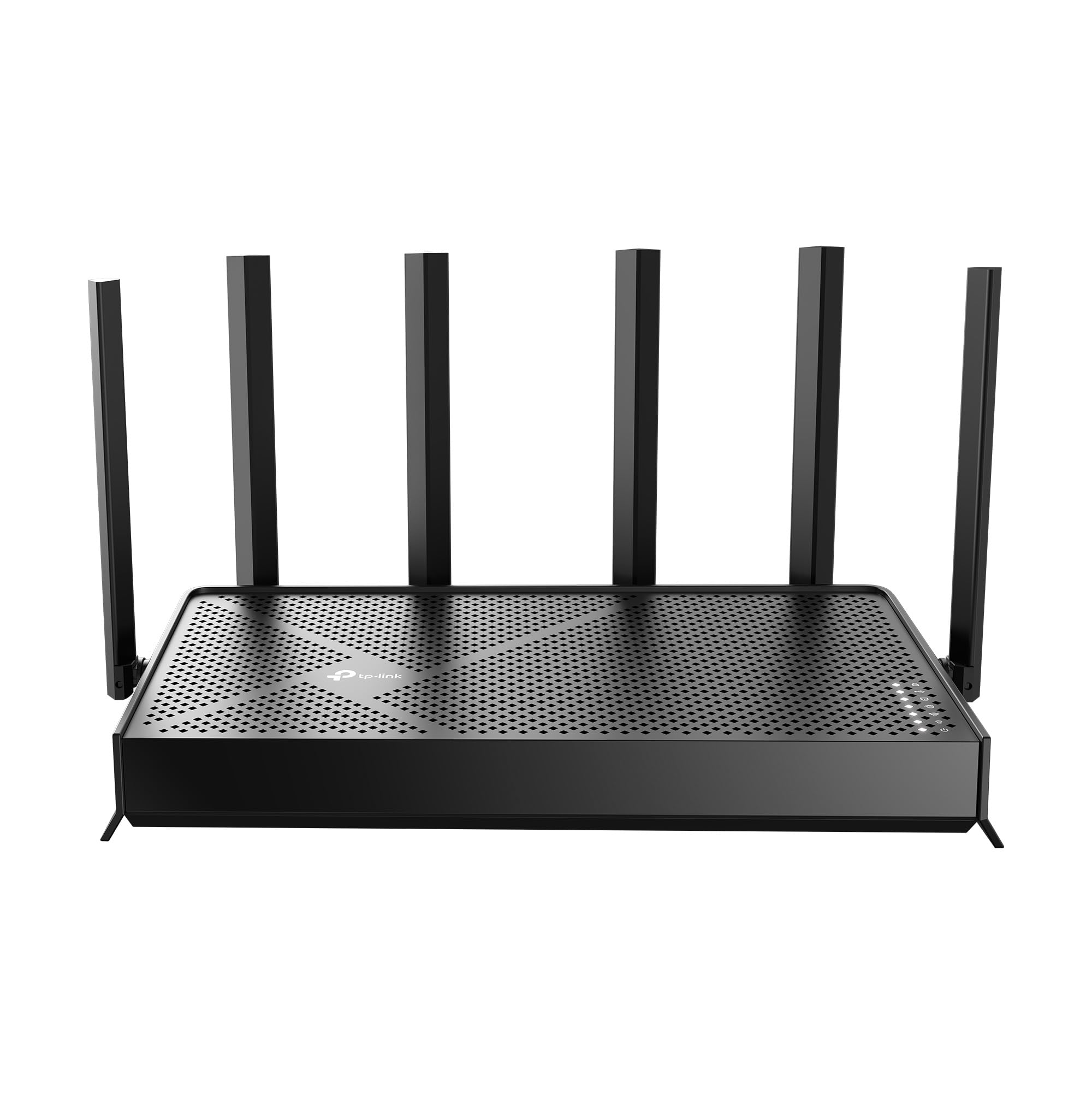
- Tri-band WiFi 7 supports 6 GHz, 5 GHz, and 2.4 GHz connections.
- Coverage is rated for up to 2,600 sq. ft. and 120 devices.
- Wired networking includes a 10 Gbps port and three 2.5 Gbps LAN ports.
Best For: A larger home with many devices and multi-gig wired equipment.

TP-Link Archer GE800
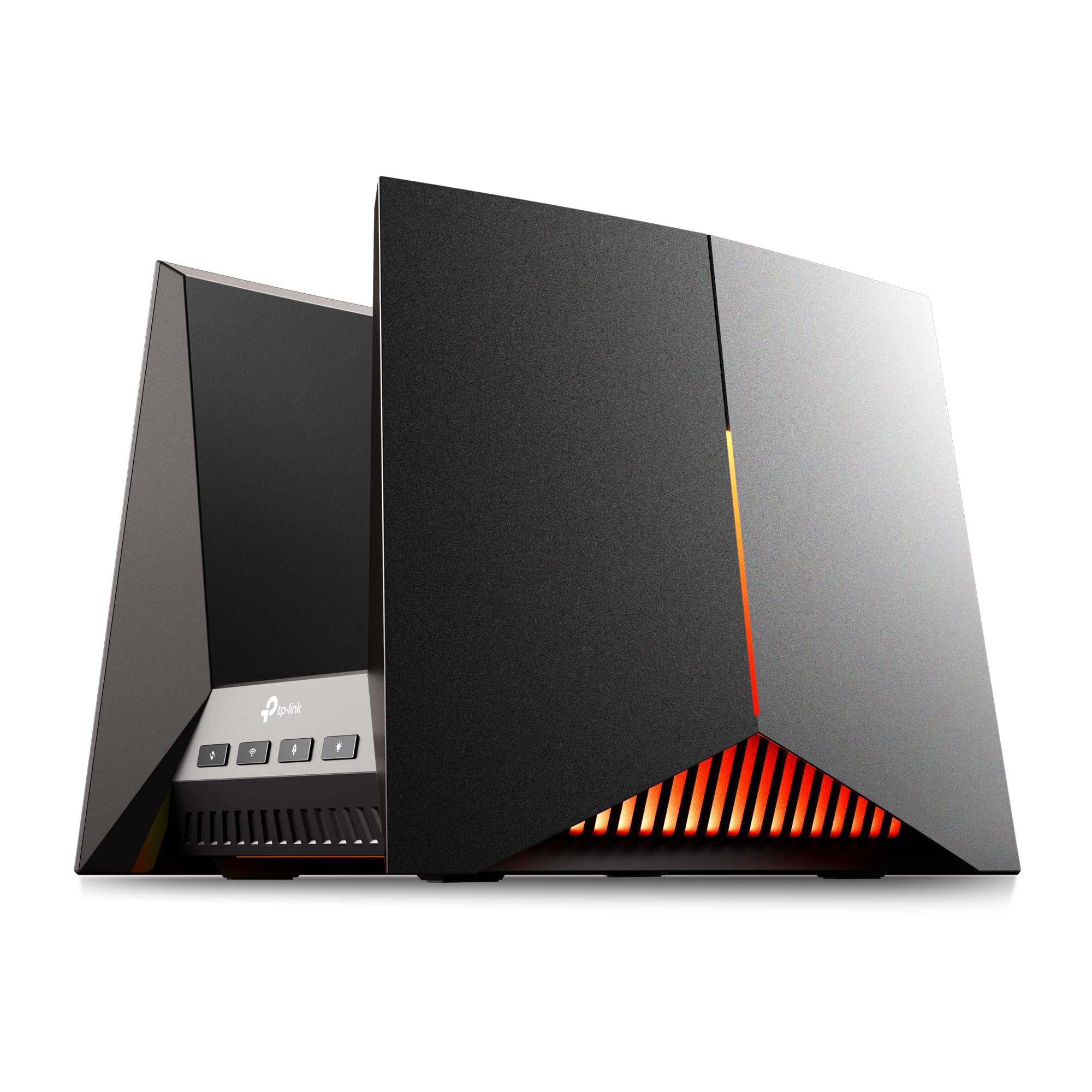
- Tri-band WiFi 7 offers up to 19 Gbps across three bands.
- Two 10 Gbps and four 2.5 Gbps ports support multi-gig wired equipment.
- Gaming controls include a dedicated port and performance panel.
Best For: Gaming setups with multi-gig wired devices and a dedicated game dashboard.
TP-Link Archer GE650
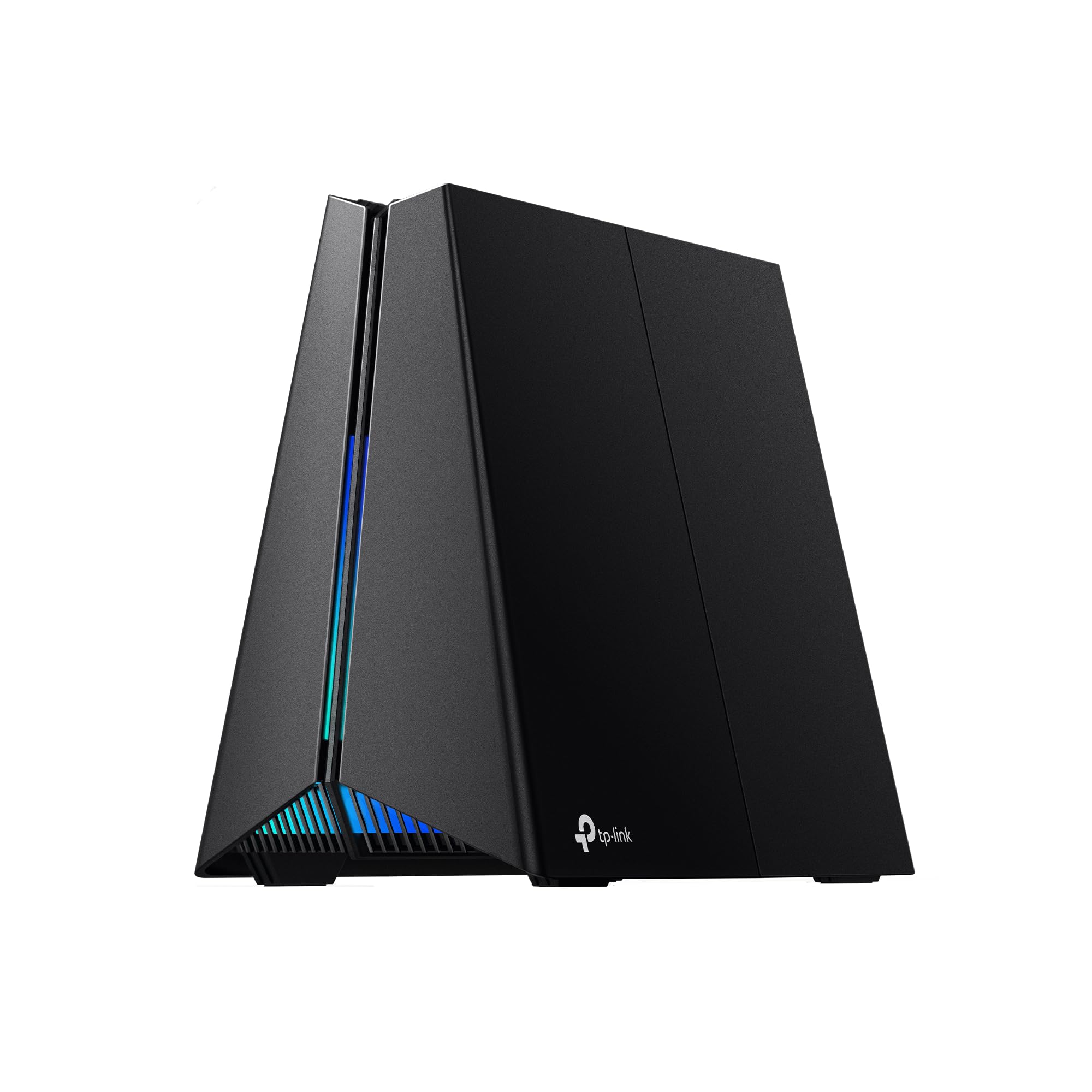
- Tri-band WiFi 7 includes a dedicated 5 GHz gaming band.
- Ports include two 5 Gbps connections and three 2.5 Gbps LAN ports.
- The game panel shows network and router performance information.
Best For: Gamers seeking tri-band WiFi 7 and a dedicated gaming band.
TP-Link Archer AXE75

- Tri-band WiFi 6E includes a 6 GHz band and up to 5,400 Mbps WiFi.
- OneMesh works with a TP-Link OneMesh extender.
- VPN client and server options are supported.
Best For: Households wanting tri-band WiFi 6E, VPN options, and OneMesh expansion.
TP-Link Archer BE400
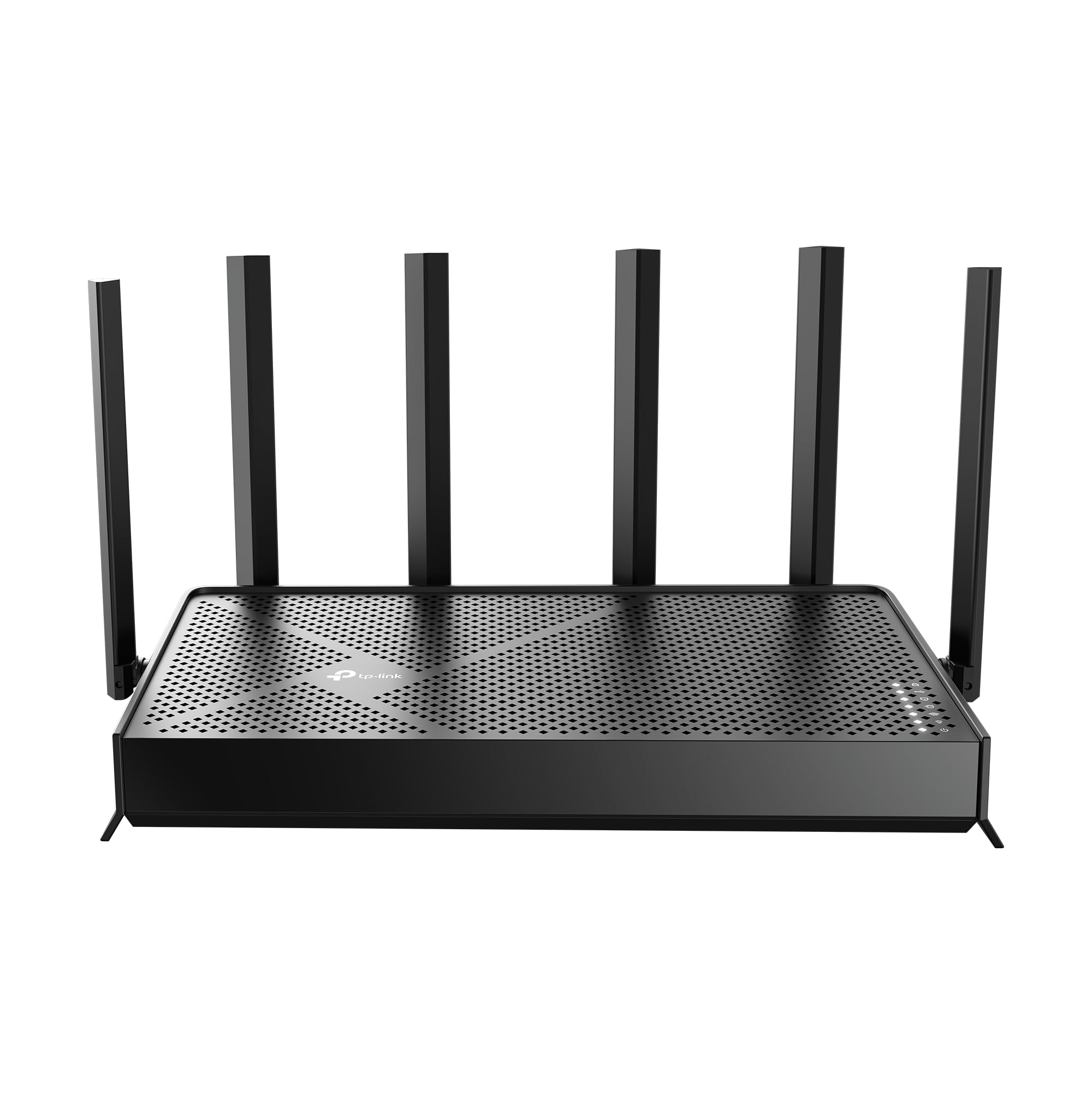
- Dual-band WiFi 7 has six streams and up to 6.5 Gbps total bandwidth.
- Coverage is rated up to 2,400 sq. ft. for up to 90 devices.
- It includes two 2.5 Gbps ports and three 1 Gbps LAN ports.
Best For: A connected household looking for WiFi 7 and multi-gig Ethernet ports.
TP-Link Archer BE230
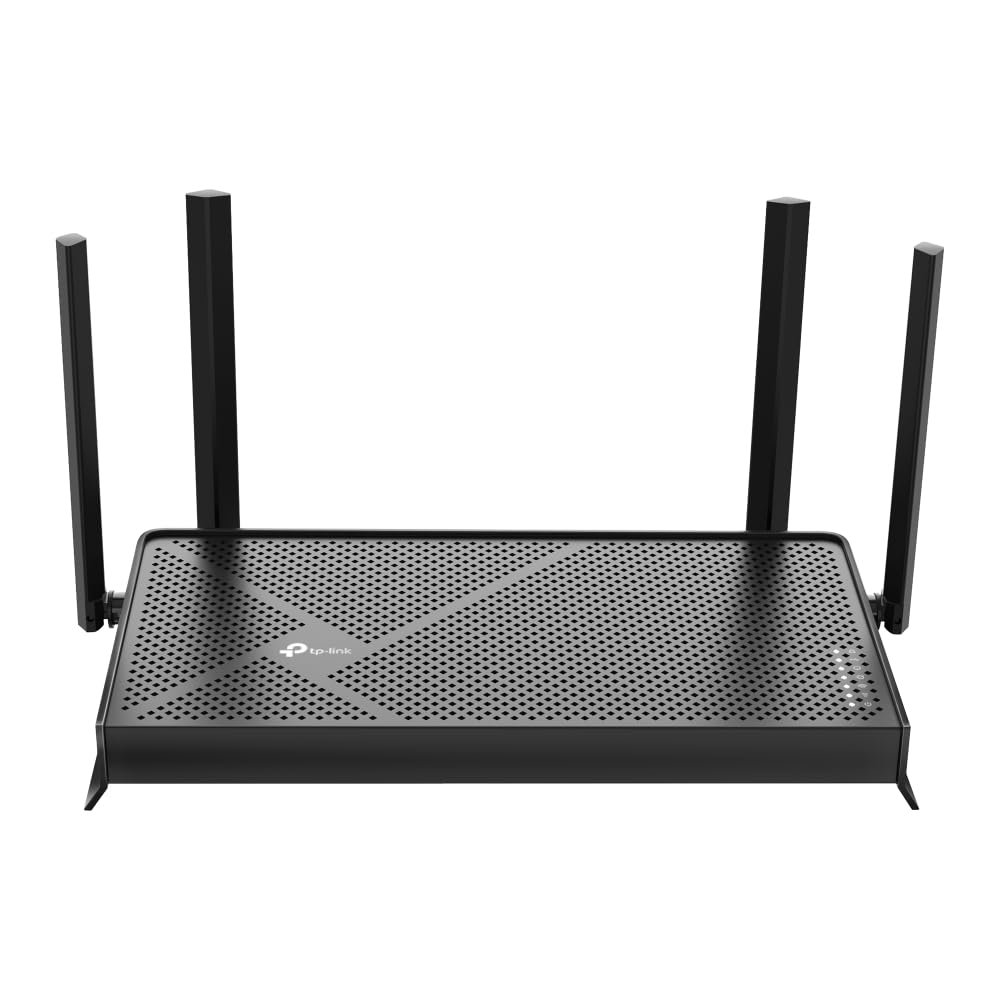
- Dual-band WiFi 7 offers up to 2,882 Mbps on 5 GHz and 688 Mbps on 2.4 GHz.
- Coverage is rated up to 2,000 sq. ft. for up to 60 devices.
- It has one 2.5 Gbps WAN/LAN port, one 2.5 Gbps LAN port, and three 1 Gbps LAN ports.
Best For: A home needing WiFi 7, multi-gig ports, and a compact router profile.
TP-Link Deco 7 BE23
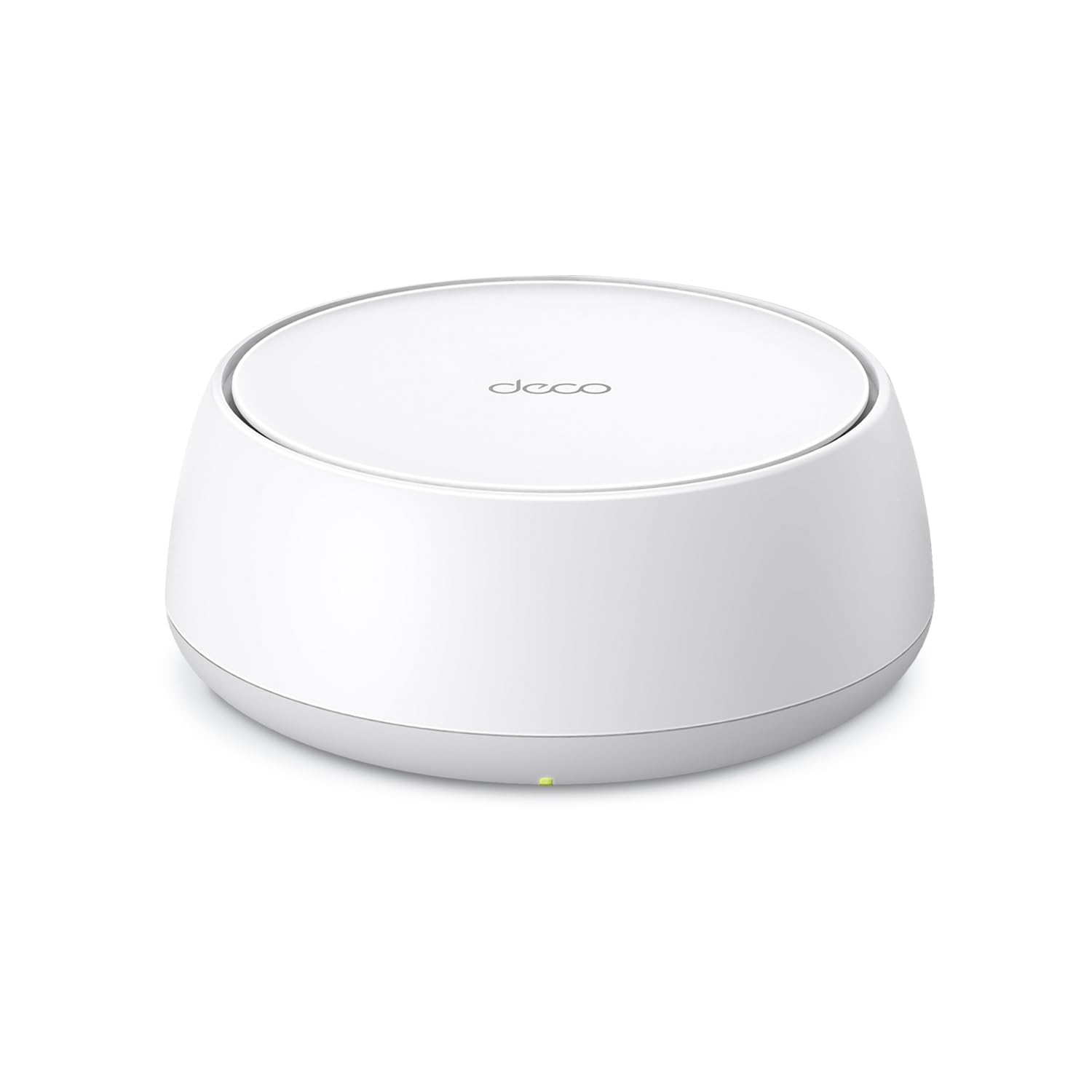
- This is a one-pack dual-band WiFi 7 mesh router.
- The one-pack coverage is rated up to 2,500 sq. ft.
- Two 2.5 Gbps ports support wired connections and backhaul.
Best For: A household planning a Deco mesh setup with a single WiFi 7 unit to start.
Tenda RX12 Pro V3.0
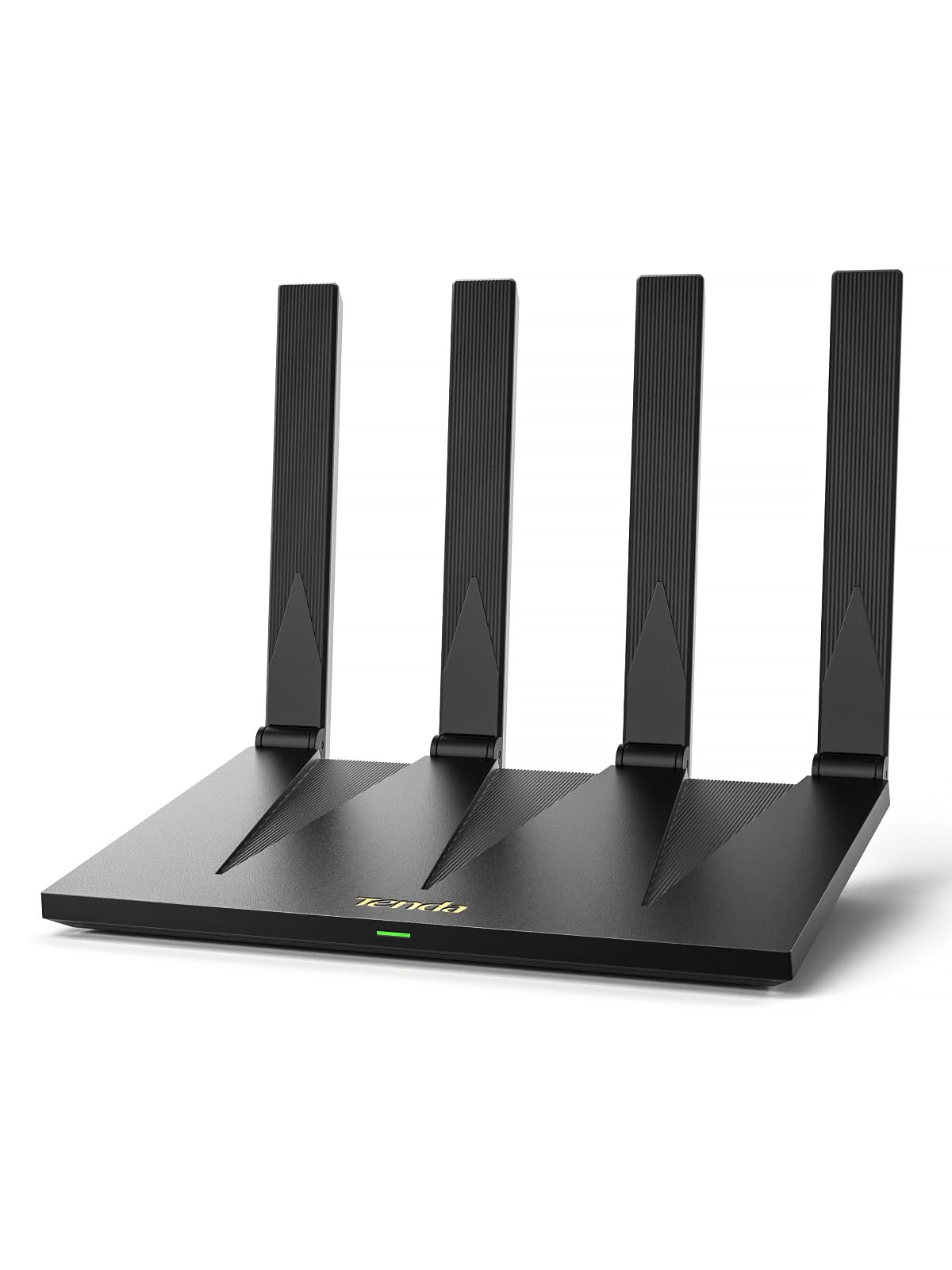
- WiFi 6 supports up to 2,402 Mbps on 5 GHz and 574 Mbps on 2.4 GHz.
- Four gigabit ports use automatic WAN/LAN recognition.
- VPN support includes OpenVPN and WireGuard.
Best For: A home wanting a WiFi 6 router with VPN, gigabit ports, and NFC guest connection.
TP-Link Roam 7 BE3600
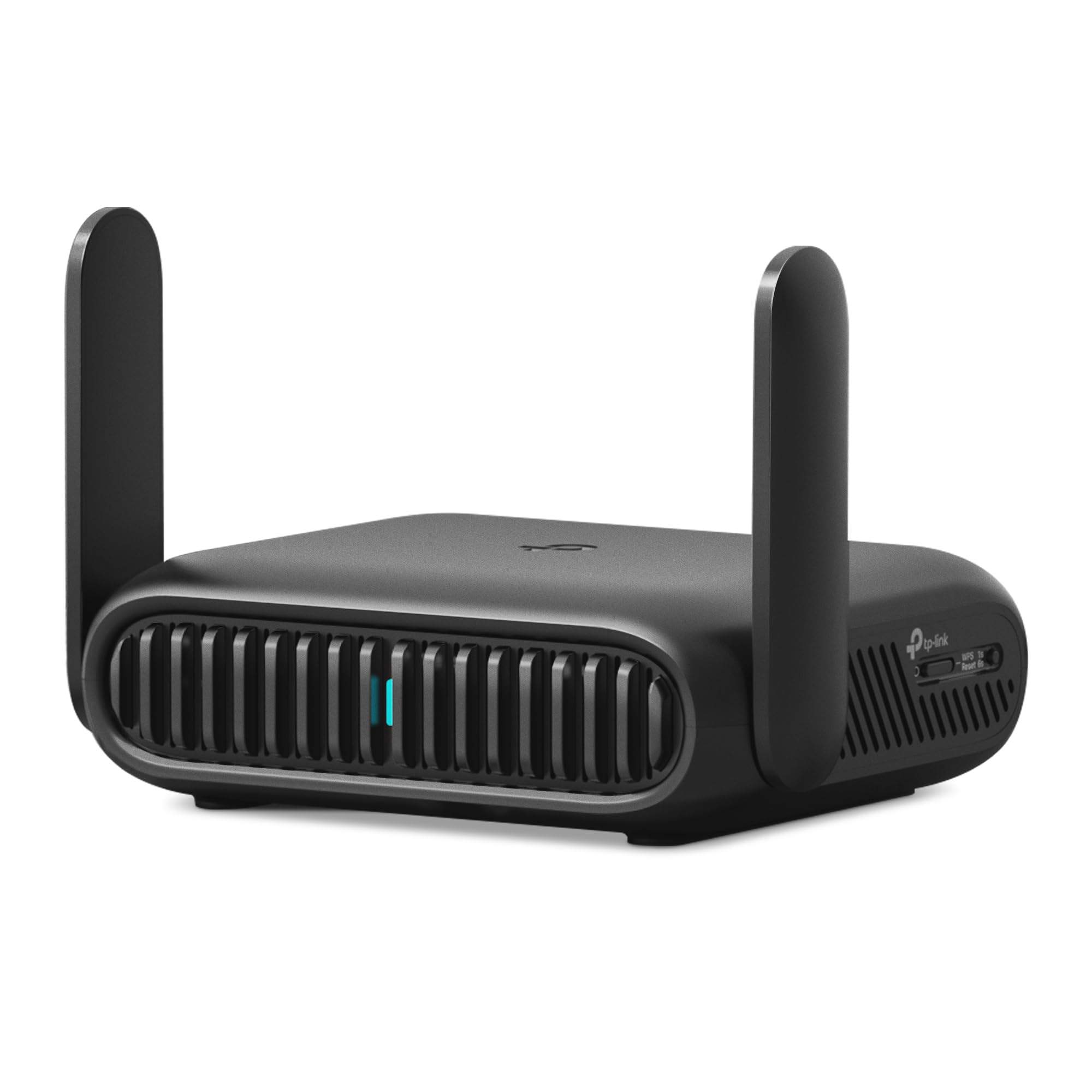
- Public WiFi sharing creates a private network for travel devices.
- Router, hotspot, AP, repeater, and client modes support varied connections.
- OpenVPN and WireGuard VPN support is included.
Best For: Frequent travelers who want to share hotel WiFi privately across several devices.
TP-Link Roam 6 AX1500
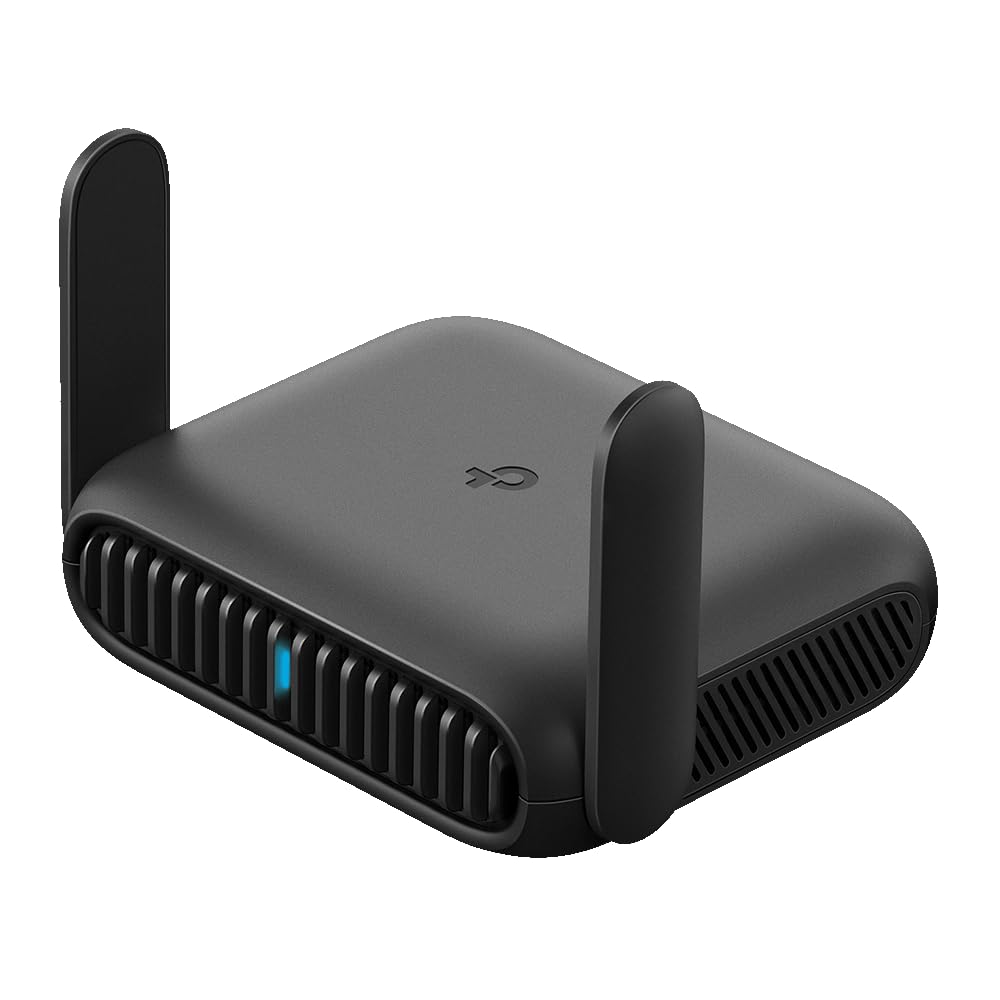
- Pocket-sized design is intended for trips and travel.
- It can connect to public WiFi or phone USB tethering.
- VPN support includes OpenVPN and WireGuard.
Best For: Travelers seeking a compact private network for hotel WiFi and phone tethering.
Large-Home Tri-Band WiFi 7
TP-Link Tri-Band BE9700 WiFi 7 Router (Archer BE600) – 10G Port, 2.5G Port, 3× 2.5G LAN, 320MHz Channel, Covers up to 2,600 sq. ft., 120 Devices, VPN, HomeShield Security
The Archer BE600 pairs tri-band WiFi 7 with coverage rated for up to 2,600 sq. ft. and 120 devices. Its bands reach up to 5,765 Mbps on 6 GHz, 2,882 Mbps on 5 GHz, and 1,032 Mbps on 2.4 GHz, giving compatible devices multiple bands to use.
Wired connections include a 10 Gbps WAN/LAN port, a 2.5 Gbps WAN/LAN port, and three 2.5 Gbps LAN ports. It also supports VPN clients and servers, HomeShield, and app or web setup.
This is a feature-rich fit for homes that can use its coverage and multi-gig ports.
Best For: A larger home with many devices and multi-gig wired equipment.
| Pros | Cons |
|---|---|
|
|
Choose the BE600 if you want tri-band WiFi 7 and several multi-gig wired connections in one home router. Its rated coverage and device capacity make it a plausible fit for a larger, busier household, while its multiple port speeds offer flexibility for wired devices.
Check that your modem and internet plan can use the faster WAN connection, and consider your home's layout when judging the coverage estimate.
High-Port-Count Gaming Router
TP-Link Tri-Band BE19000 Wi-Fi 7 Gaming Router Archer GE800 | 12-Stream | 2×10G + 4×2.5G Ports, USB 3.0 | Turbo Acceleration, Dedicated Gaming Port & Panel, RGB Lighting, HomeShield, Free Expert Help
The Archer GE800 is a tri-band WiFi 7 gaming router with up to 19 Gbps across three bands and 12 streams. Its wired connections stand out: two 10 Gbps ports and four 2.5 Gbps ports can accommodate a substantial multi-gig setup.
Gaming-focused features include Turbo Game Acceleration, a dedicated gaming port, and a panel for monitoring network and router performance. The Tether app or web interface handles setup and management, and EasyMesh compatibility offers an expansion path.
Its feature set is aimed squarely at demanding gaming setups, so it makes most sense when those gaming controls and fast wired ports will be put to use.
Best For: Gaming setups with multi-gig wired devices and a dedicated game dashboard.
| Pros | Cons |
|---|---|
|
|
The GE800 suits a wired gaming station that can use its two 10 Gbps and four 2.5 Gbps ports, along with a dedicated gaming port and dashboard. It brings more gaming-specific controls than a general home router, but those features matter most when several fast wired devices share the setup.
Check your modem, internet service, and wired devices before choosing it, and decide whether EasyMesh expansion is relevant to your home's layout.
Dedicated 6 GHz Gaming Band
TP-Link Tri-Band BE11000 Wi-Fi 7 Gaming Router Archer GE650 | 6-Stream 11 Gbps supports 320MHz | 2×5G + 3×2.5G Ports USB 3.0 | Game Acceleration, Dedicated Gaming Port & Panel, RGB Lighting|HomeShield
The Archer GE650 combines tri-band WiFi 7 with a dedicated 5 GHz gaming band. Its listed wireless rates reach up to 5,764 Mbps on 6 GHz, 4,320 Mbps on 5 GHz, and 574 Mbps on 2.4 GHz.
For wired equipment, it has one 5 Gbps WAN port, one 5 Gbps LAN port, and three 2.5 Gbps LAN ports. Gaming features include game acceleration, a dashboard, and RGB controls, while EasyMesh compatibility can extend the network.
This option focuses on gaming features and multi-gig connectivity with a 5 Gbps WAN port, a 5 Gbps LAN port, and three 2.5 Gbps LAN ports.
Best For: Gamers seeking tri-band WiFi 7 and a dedicated gaming band.
| Pros | Cons |
|---|---|
|
|
Pick the GE650 if a dedicated gaming band and dashboard are more useful to you than a general-purpose router design. Its mix of 5 Gbps and 2.5 Gbps ports also suits a gaming setup with several wired devices.
The records do not give a coverage rating, so evaluate room placement and whether EasyMesh expansion may be needed. Confirm that your internet service and modem can make practical use of the WAN port.
6 GHz WiFi 6E and VPN Controls
TP-Link AXE5400 Tri-Band WiFi 6E Router (Archer AXE75), 2025 PCMag Editors' Choice, 2.5Gbps WAN Port for Gaming & Streaming, 6GHz Band, 160MHz, OneMesh, Dual-Core CPU, VPN & WPA3 Security
The Archer AXE75 is a tri-band WiFi 6E router with up to 5,400 Mbps combined wireless speed and a 6 GHz band. TP-Link says OFDMA increases capacity for simultaneous transmission to more devices, and OneMesh support lets you add a compatible extender for wider coverage.
A 2.5 Gbps WAN port provides a faster wired internet connection when paired with suitable equipment. VPN client and server support, WPA3 security, and HomeShield's listed free features add network management options.
This is a home-router choice for shoppers who want a 6 GHz band but do not need the newer WiFi 7 models in this list.
Best For: Households wanting tri-band WiFi 6E, VPN options, and OneMesh expansion.
| Pros | Cons |
|---|---|
|
|
The AXE75 fits shoppers who want WiFi 6E, a 6 GHz band, and VPN support at the router level. OneMesh gives it a documented expansion option if one router is not enough for the home.
Its WAN connection is 2.5 Gbps, so check that your modem and service can use that speed. Consider this model when WiFi 6E meets your needs and WiFi 7 is not a priority.
WiFi 7 with Up to 90 Devices
TP-Link BE6500 Dual-Band WiFi 7 Router (BE400) – Dual 2.5Gbps Ports, USB 3.0, Covers up to 2,400 sq. ft., 90 Devices, Quad-Core CPU, HomeShield, Private IoT, Free Expert Support
The Archer BE400 is a dual-band WiFi 7 router with six streams and listed wireless speeds up to 6.5 Gbps across its bands. It is rated to cover up to 2,400 sq. ft. and support up to 90 devices.
Its wired ports include one 2.5 Gbps WAN/LAN connection, one 2.5 Gbps LAN port, and three 1 Gbps LAN ports. EasyMesh support provides a route to broader coverage with compatible equipment, and the Tether app or web interface handles setup.
Since this model is dual-band, it does not add a 6 GHz band; compare that distinction with the tri-band WiFi 7 choices.
Best For: A connected household looking for WiFi 7 and multi-gig Ethernet ports.
| Pros | Cons |
|---|---|
|
|
Choose the BE400 if you want WiFi 7 and two 2.5 Gbps connections, while a dual-band setup is sufficient. Its stated coverage and device capacity give shoppers useful reference points, and EasyMesh can extend the setup with compatible equipment.
The key tradeoff is that the dual-band design omits 6 GHz. Check whether your devices and internet plan can use the faster wired ports before paying for multi-gig capability.
Compact Dual-Band WiFi 7 Home Router
TP-Link Dual-Band BE3600 Wi-Fi 7 Router Archer BE230 | 4-Stream | 2×2.5G + 3×1G Ports, USB 3.0, 2.0 GHz Quad Core, 4 Antennas | VPN, EasyMesh, HomeShield, MLO, Private IOT | Free Expert Support
The Archer BE230 is a dual-band WiFi 7 router with up to 2,882 Mbps on 5 GHz and 688 Mbps on 2.4 GHz. It is rated to cover up to 2,000 sq. ft. and support up to 60 devices.
Wired connections include two 2.5 Gbps ports and three 1 Gbps LAN ports, while EasyMesh can pair it with compatible routers or extenders. The Tether app supports setup and management.
This model does not support 6 GHz, so it is worth considering for a home WiFi 7 upgrade where dual-band service and its stated coverage are a better fit than tri-band hardware.
Best For: A home needing WiFi 7, multi-gig ports, and a compact router profile.
| Pros | Cons |
|---|---|
|
|
The BE230 suits a home that wants WiFi 7 and two 2.5 Gbps ports but does not need a 6 GHz band. Its coverage and device figures provide a starting point for comparing household needs, while EasyMesh offers an expansion path.
If 6 GHz is important, choose a tri-band model instead. Also confirm that your modem and internet plan can use its faster wired connection.
Single-Unit Mesh Network Starter
TP-Link Deco 7 BE23 Dual-Band BE3600 WiFi 7 Mesh Wi-Fi Router | 4-Stream 3.6 Gbps,160 Mhz | Covers up to 2,500 Sq.Ft | 2× 2.5G Ports Wired Backhaul | VPN, MLO, HomeShield, Free Expert Help, 1-Pack
The Deco 7 BE23 is a single-unit, dual-band WiFi 7 mesh router with coverage rated up to 2,500 sq. ft. for one pack and support for up to 150 devices. It offers up to 2,882 Mbps on 5 GHz and 688 Mbps on 2.4 GHz, plus two 2.5 Gbps WAN/LAN ports.
Deco units can work together in a mesh network, and this model supports wired and wireless backhaul. It is a useful fit for buyers who want a mesh-oriented system and may add compatible Deco units.
Remember that the coverage figure applies to the one-pack configuration, not a multi-unit set.
Best For: A household planning a Deco mesh setup with a single WiFi 7 unit to start.
| Pros | Cons |
|---|---|
|
|
Choose the Deco 7 BE23 if you want to start with a mesh-oriented router and may add compatible Deco units later. Its one-pack coverage rating and two 2.5 Gbps ports help frame the fit for a home with wired backhaul or multi-gig service.
It is dual-band, so it does not include a third band. Check the number of units included and plan for additional compatible hardware if one node will not cover your home.
WiFi 6 with VPN and NFC Connection
Tenda AX3000 WiFi 6 Router,Dual-Band Gigabit Wireless Internet Router, Mesh & AP Mode, Built-in VPN, NFC Tap-to-Connect, OFDMA MU-MIMO, Secure IoT Network for Home Gaming & 4K Streaming(RX12 Pro V3.0)
The Tenda RX12 Pro V3.0 is a dual-band WiFi 6 router with AX3000-class listed rates: up to 2,402 Mbps on 5 GHz and 574 Mbps on 2.4 GHz. It combines OFDMA and MU-MIMO with four full gigabit ports that automatically recognize WAN or LAN connections.
VPN support includes OpenVPN and WireGuard, and an independent IoT network can separate smart devices from the primary network. NFC tap-to-connect is another distinctive convenience, though it requires a compatible Android phone.
This is a practical home-router option for buyers who value those management features and do not need WiFi 7.
Best For: A home wanting a WiFi 6 router with VPN, gigabit ports, and NFC guest connection.
| Pros | Cons |
|---|---|
|
|
The RX12 Pro V3.0 is a strong fit for shoppers who want WiFi 6, VPN support, and four gigabit ports without moving to WiFi 7. Its dedicated IoT network and NFC guest connection are practical extras for a smart home, but the NFC feature depends on a compatible Android device.
Confirm that your existing modem or ISP gateway can connect, and decide whether gigabit ports meet your wired speed needs.
Multi-Mode WiFi 7 Travel Router
TP-Link Roam 7 BE3600 Wi-Fi 7 Portable Travel Router | Dual-Band, 2.5G Port, USB 3.0 | Multi-Modes in One | OpenVPN, WireGuard® | Public WiFi Sharing for Hotel/Cruise/RV/Plane | No 6 GHz | TL-WR3602BE
The Roam 7 BE3600 is a portable dual-band WiFi 7 travel router built around flexible connection modes. It can connect to public WiFi and create a private network, use Ethernet or USB phone tethering in router mode, or act in AP, repeater, and client modes.
VPN client and server support includes OpenVPN and WireGuard, and a captive portal login through the Tether app can create a private network for multiple devices. It has a 2.5 Gbps WAN port and a 1 Gbps LAN port, and can be powered through USB-C.
It does not support 6 GHz, which is relevant when comparing its WiFi 7 label with home routers.
Best For: Frequent travelers who want to share hotel WiFi privately across several devices.
| Pros | Cons |
|---|---|
|
|
The Roam 7 is for trips where hotel or other public WiFi needs to serve several personal devices through one private network. Its multiple modes, USB-C power, and VPN support make it more adaptable than a conventional home router.
The 6 GHz band is absent, and it is designed as a travel router rather than a coverage-focused home mesh node. Check whether the connection mode you need works with your trip's available WiFi, Ethernet, or phone tethering.
Pocket WiFi 6 Travel Router
TP-Link Roam 6 AX1500 Portable Wi-Fi 6 Travel Router Dual-Band | Easy Public WiFi Sharing | Hotel/RV/Travel Approved | Phone WiFi Tether | USB C 3.0 | Multi-Mode | OpenVPN, WireGuard® | TL-WR1512X
The Roam 6 AX1500 is a pocket-sized dual-band WiFi 6 travel router with listed speeds up to 1,201 Mbps on 5 GHz and 300 Mbps on 2.4 GHz. It can connect to public WiFi or phone USB tethering, and AP, repeater, and client modes cover other common travel setups.
OpenVPN and WireGuard support provide VPN options, while one-step captive portal authentication can simplify connecting multiple devices to public WiFi. USB-C power works with the included adapter or a 5V/3A PD power source such as a power bank.
Its two wired ports are gigabit, so this is a compact travel option rather than a multi-gig router.
Best For: Travelers seeking a compact private network for hotel WiFi and phone tethering.
| Pros | Cons |
|---|---|
|
|
Choose the Roam 6 if you want a compact router for hotel WiFi, phone tethering, and other travel connections. It has useful VPN and captive portal features, plus USB-C power options for using a power bank.
Its listed WiFi 6 rates and gigabit ports are more modest than a router with WiFi 7 and a multi-gig WAN connection. Check your expected device count and power source before a trip.
How to Choose Wifi Routers
How We Picked WiFi Routers
The candidates include home routers, gaming-focused models, a mesh starter, and portable travel routers. To keep the roundup useful across those needs, the selections cover WiFi 6, WiFi 6E, and WiFi 7, with differences in bands, wired port speeds, management features, and intended setting.
The single older router is excluded because its four wired ports are limited to 100 Mbps while other suitable home options provide gigabit or multi-gig connectivity.
Coverage and device figures are useful comparison points, but they do not guarantee the same result in every home. Walls, placement, client devices, and the internet connection all affect practical performance.
Travel routers serve a different purpose: they share hotel or public WiFi and provide a private network rather than replacing a home coverage system.
Comparing WiFi Routers
Start with the wireless generation and band layout. The AXE75 adds a 6 GHz band with WiFi 6E, while the BE400 and BE230 are dual-band WiFi 7 models.
The BE600, GE800, and GE650 are tri-band WiFi 7 choices; their differences include stated coverage, wired port count, gaming controls, and band-specific features.
For wired devices, compare the actual ports to your modem, internet plan, and equipment. The BE600 and GE800 include 10 Gbps ports, while the BE230 and BE400 provide 2.5 Gbps connections.
The Deco 7 BE23 has two 2.5 Gbps ports and supports wired backhaul, making it a mesh-oriented alternative. Gaming buyers can compare the GE800's larger port complement with the GE650's dedicated gaming band and panel.
| Product | Standout features | Best for |
|---|---|---|
| TP-Link Archer BE600Check Price |
| A larger home with many devices and multi-gig wired equipment. |
| TP-Link Archer GE800Check Price |
| Gaming setups with multi-gig wired devices and a dedicated game dashboard. |
| TP-Link Archer GE650Check Price |
| Gamers seeking tri-band WiFi 7 and a dedicated gaming band. |
| TP-Link Archer AXE75Check Price |
| Households wanting tri-band WiFi 6E, VPN options, and OneMesh expansion. |
| TP-Link Archer BE400Check Price |
| A connected household looking for WiFi 7 and multi-gig Ethernet ports. |
| TP-Link Archer BE230Check Price |
| A home needing WiFi 7, multi-gig ports, and a compact router profile. |
| TP-Link Deco 7 BE23Check Price |
| A household planning a Deco mesh setup with a single WiFi 7 unit to start. |
| Tenda RX12 Pro V3.0Check Price |
| A home wanting a WiFi 6 router with VPN, gigabit ports, and NFC guest connection. |
| TP-Link Roam 7 BE3600Check Price |
| Frequent travelers who want to share hotel WiFi privately across several devices. |
| TP-Link Roam 6 AX1500Check Price |
| Travelers seeking a compact private network for hotel WiFi and phone tethering. |
Choosing a Home WiFi Router for Coverage
Use stated coverage as a planning reference, then consider your floor plan and likely router location. The Archer BE600 is rated for up to 2,600 sq. ft., the Deco 7 BE23 for up to 2,500 sq. ft. in a one-pack configuration, and the Archer BE230 for up to 2,000 sq. ft. EasyMesh or OneMesh compatibility can add compatible equipment where the product supports it.
A mesh system may be a better fit than one central router when a home needs coverage in separated areas.
Device capacity also varies: the BE600 is rated for up to 120 devices, the BE400 for up to 90, and the BE230 for up to 60. Treat these as stated capacities rather than guarantees of equal performance at every distance.
Confirm your modem requirement and check whether your WiFi devices support the bands you want to use.
Picking WiFi 7, WiFi 6E, or WiFi 6
WiFi 7 models offer features such as Multi-Link Operation, and the tri-band options add a 6 GHz band. The BE400 and BE230 are dual-band, so they do not provide 6 GHz.
The Archer AXE75 offers tri-band WiFi 6E and a 2.5 Gbps WAN port, which may suit a home wanting access to 6 GHz without choosing a WiFi 7 model. The Tenda RX12 Pro V3.0 offers WiFi 6, VPN support, gigabit ports, and a separate IoT network.
Match the router to client devices and internet service. A faster wireless rating does not increase the speed supplied by an internet plan, and a multi-gig port is useful only when connected equipment supports it.
If VPN support is a priority, compare the protocols and whether you need a router VPN client, server, or both.
When a Travel WiFi Router Makes Sense
The Roam 7 and Roam 6 are portable routers designed for hotel, public WiFi, or phone tethering use. Both can create a private network for multiple devices, support VPN features, and offer USB-C power options.
The Roam 7 adds WiFi 7 and a 2.5 Gbps WAN port, while the Roam 6 is a pocket-sized WiFi 6 model with gigabit ports. Neither is a substitute for a home router selected around whole-home coverage.
Before traveling, check which connection mode fits your access: public WiFi, Ethernet, or USB phone tethering. Captive portal support is relevant for hotel networks that require a login page.
Compare the router's power options with what you plan to carry, especially if you expect to use a power bank.
Who Should Buy Which WiFi Router
Choose the Archer BE600 for tri-band WiFi 7, higher stated coverage, and several multi-gig ports. The GE800 is tailored to gaming setups with a dedicated gaming port, dashboard, and more wired ports; the GE650 offers a dedicated gaming band and multi-gig connections.
For a mesh-first setup, consider the one-pack Deco 7 BE23 and plan additional compatible units if needed.
The Archer BE230 and BE400 suit dual-band WiFi 7 needs, with different stated coverage and port configurations. Choose the AXE75 for WiFi 6E and OneMesh support, or the Tenda RX12 Pro V3.0 for WiFi 6 with VPN, gigabit Ethernet, and NFC guest connection.
Travelers can compare the Roam 7's WiFi 7 and 2.5 Gbps WAN connection with the Roam 6's pocket-sized WiFi 6 design.