The Phomemo M110 Label Maker is a compact thermal printer aimed at people who make product, address, or organizing labels from a phone or computer.
This Phomemo M110 Label Maker review looks at its included supplies, app tools, and the practical tradeoffs of building a labeling routine around thermal rolls.
Phomemo M110 Review Summary
The quick verdict
6,000+ ratings
Read Amazon ReviewsPhomemo M110 Label Maker
A portable thermal label maker for small businesses, home offices, and organizers who want app-based templates, batch printing, and a starter set of supplies.
- Portable 2-inch Bluetooth thermal label maker intended for label printing from a phone or PC.
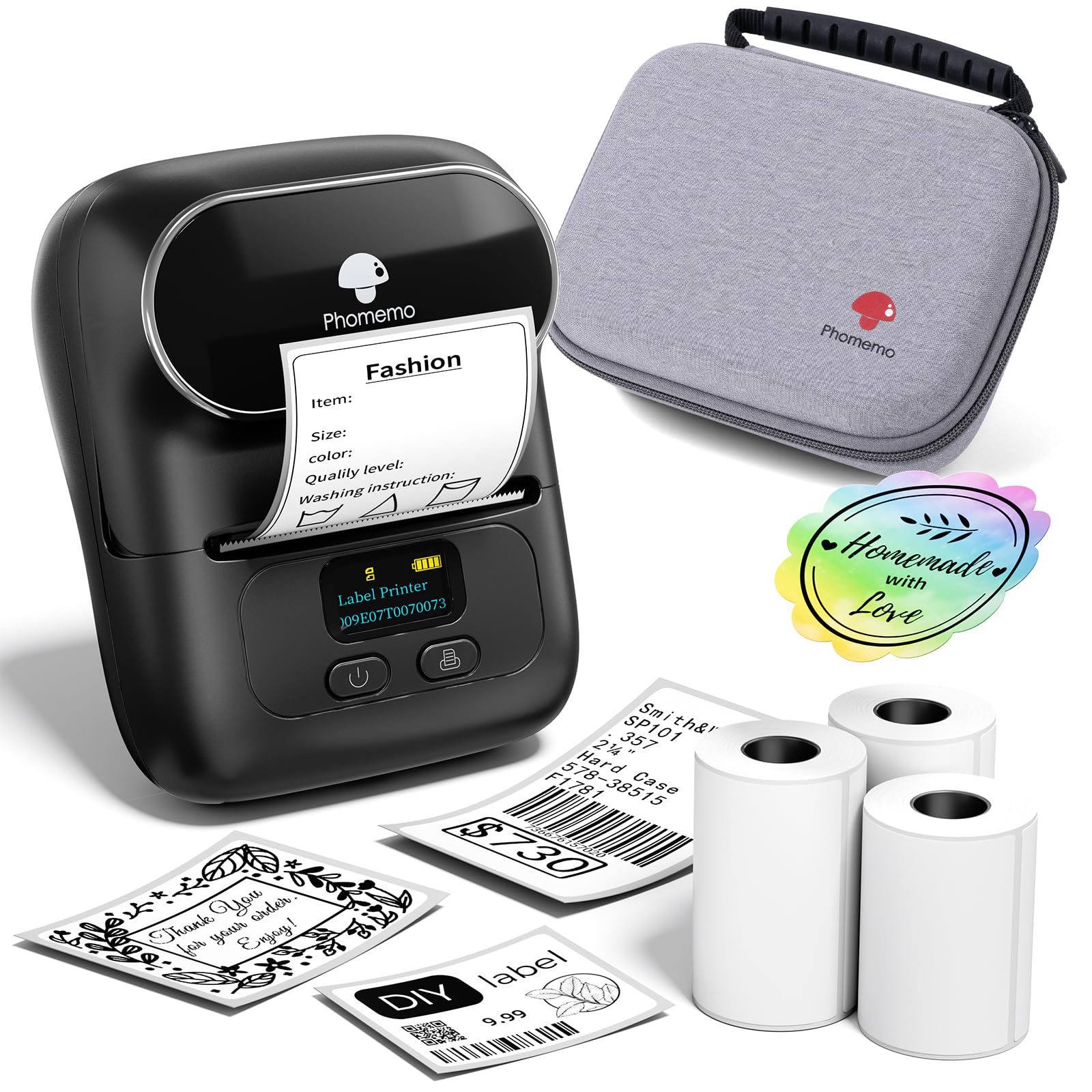
- Package includes three rolls of white thermal labels, a black bag, a USB-C cable, and a user manual.
- The Phomemo app offers multiple label templates and lets users create their own layouts.
- Excel batch printing supports preparing repeated labels as a group.

Pros
- Useful app features go beyond basic text entry, including custom templates, batch printing, and OCR.
- The included three rolls provide a practical supply of labels for getting started.
Consider before buying
- Thermal output is monochrome, so this is not a choice for full-color label artwork.
- For the preferred printing results, buyers should plan around Phomemo-branded thermal label paper.
Read the full review summary
The M110’s appeal is a combination of a small footprint, Bluetooth connectivity, and flexible label design through the Phomemo app.
It supports custom templates and Excel batch printing, and its OCR feature can turn text in an image into editable text, which may help when preparing repeated or information-heavy labels.
The supplied kit includes three rolls of white thermal labels, a carrying bag, a USB-C cable, and a manual, so a buyer can start with more than just the printer.
Its monochrome thermal output and reliance on thermal label media make it best suited to straightforward text and code labels rather than color printing or general-purpose documents.
The buying factors
Phomemo M110 Scorecard
Editorial scores reflect listed features and buyer fit; they are not laboratory measurements or customer ratings.
Small-business labeling
Barcode-oriented use, custom templates, and Excel batch printing are useful tools for recurring product or inventory labels.
App flexibility
The app supports template selection and custom label layouts, with OCR for converting text from images into editable content.
Getting started
Three rolls, a bag, a USB-C cable, and a manual are included in the package.
Connection convenience
Bluetooth pairing is designed for quick phone use, with a stated range of up to 33 feet.
Portability
The product is presented as a portable 2-inch label maker and includes a bag for carrying it.
Media flexibility
It prints on thermal paper in monochrome, and the product guidance favors Phomemo-branded thermal label paper for best results.
Key Features and Specifications of Phomemo M110
- Portable 2-inch Bluetooth thermal label maker intended for label printing from a phone or PC.
- Package includes three rolls of white thermal labels, a black bag, a USB-C cable, and a user manual.
- The Phomemo app offers multiple label templates and lets users create their own layouts.
- Excel batch printing supports preparing repeated labels as a group.
- OCR can recognize text in images and convert it into editable text.
- Bluetooth 4.0 connectivity is described with a range of up to 33 feet.
- Monochrome thermal printing uses thermal paper; the product guidance recommends Phomemo-branded media for optimal results.
Pros and Cons of Phomemo M110
Pros
- Useful app features go beyond basic text entry, including custom templates, batch printing, and OCR.
- The included three rolls provide a practical supply of labels for getting started.
- A portable format and carrying bag suit work that moves between a desk, shop, classroom, or home.
- Bluetooth printing avoids a cable connection for compatible phone workflows.
Consider before buying
- Thermal output is monochrome, so this is not a choice for full-color label artwork.
- For the preferred printing results, buyers should plan around Phomemo-branded thermal label paper.
- Some templates, icons, and fonts in the app are marked as member-only, so check whether a desired design element is free before relying on it.
Who Should Buy Phomemo M110?
Good fit
Consider the M110 if you regularly make compact business or organization labels and want to prepare them through an app.
Excel batch printing is especially relevant when you need a run of similar labels, while custom templates can help keep recurring layouts consistent.
It also makes sense for a mobile labeling setup. The portable printer, Bluetooth connection, and included bag support carrying it between work areas, and three label rolls let you try the workflow before choosing additional supplies.
Before buying, make sure the monochrome thermal format matches the look you need and that the label media you plan to use is suitable.
If your routine depends on a particular app template or symbol, check whether it carries the member marker.
Who should skip it
Skip it if your main requirement is color printing or a general-purpose printer for documents. The M110 is a monochrome thermal label printer.
It may also be a poor fit if you want to use a particular third-party label roll without checking compatibility first; the product guidance recommends Phomemo thermal paper for optimal printing results.
How the Phomemo M110 Fits a Labeling Workflow
Batch work and repeat labels
Excel batch printing gives the M110 a practical role in small, repeatable labeling jobs.
Rather than treating each label as a separate design task, a user can prepare a set of entries and print them as a batch, which can help with product, stock, or event preparation.
OCR as a setup shortcut
OCR is designed to recognize text from images and make it editable.
That can be handy when copying information from a photo or printed reference, though it remains sensible to review the resulting text before printing labels where accuracy matters.
Thermal media and color expectations
Thermal printing avoids ink-based output, but the M110’s result is monochrome and depends on thermal label paper. Buyers who care about reliable print clarity should factor the manufacturer’s media recommendation into their supply choice.
App access and customization
Template choices and custom layouts let users shape labels for different routines.
The membership marker on a small selection of app assets is a useful detail to check early, especially if a particular icon or font is central to a planned design.
Alternatives to Phomemo M110
Desktop Label Printers alternative
2,000+ ratings
Read Amazon ReviewsPhomemo M110 Label Printer
Choose the reviewed kit if the three rolls and carrying bag are useful for your setup.
Consider this other M110 package if its specified starter quantity and described font and template selection better match your expected workload; confirm that its listed starter labels suit the sizes you need.
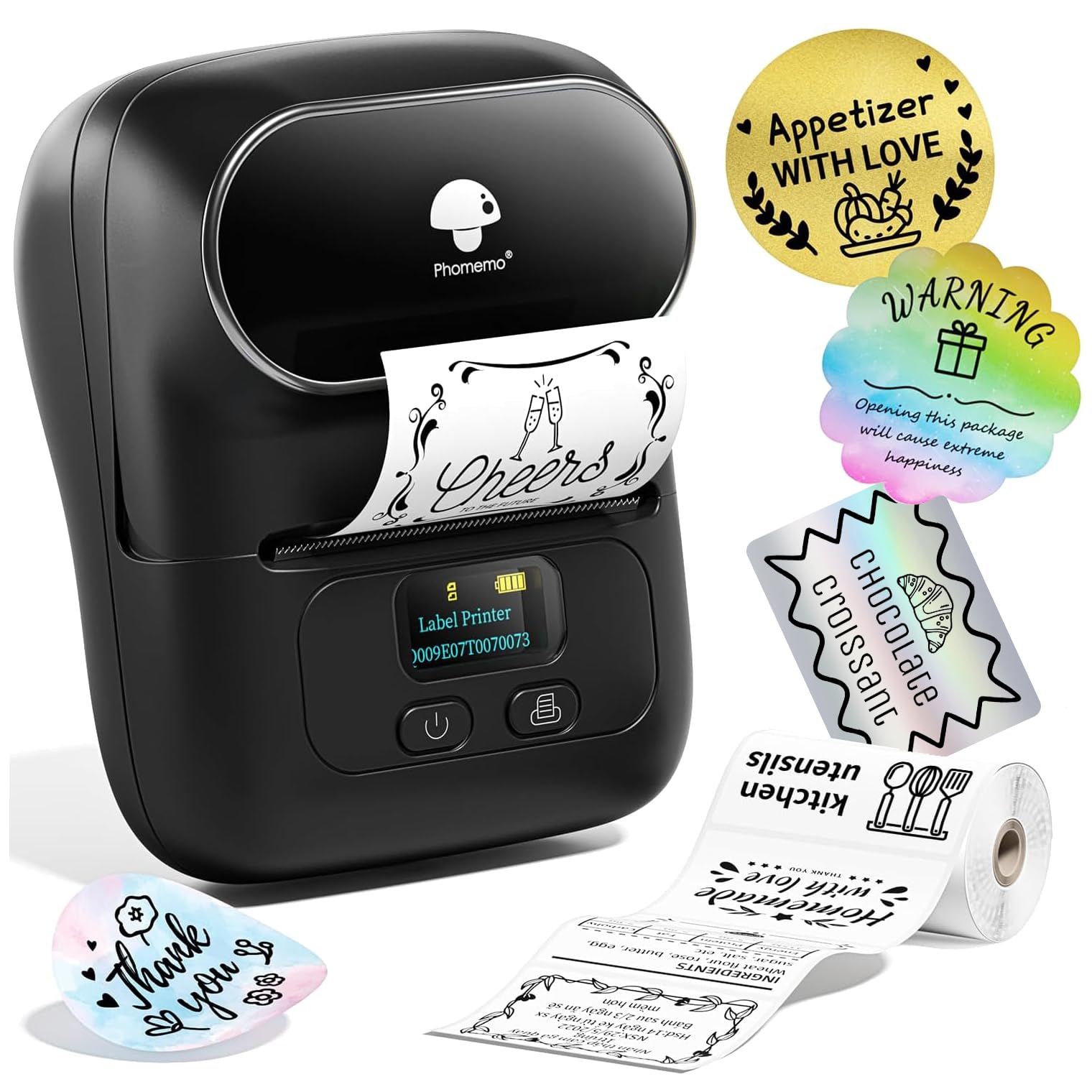
- This M110 listing describes Bluetooth printing through the Print Master app, 130-plus fonts and 300 templates, and a starter supply of 100 labels.
- It also describes phone use and USB connection for PC or Mac.
- The M110 Label Maker review model comes with three rolls, a carrying bag, a USB-C cable, and a manual, alongside app-based templates, Excel batch printing, and OCR.
Desktop Label Printers alternative

700+ ratings
Read Amazon ReviewsPhomemo M220 Label Maker
The M220 is the more relevant choice when your work benefits from a wider supported label range or a computer connection over USB.
The M110 kit is a better fit when its 2-inch portable format, included three rolls, and carrying bag align with your labeling needs.
- The M220 supports label widths from 0.78 to 3.14 inches, Bluetooth for phones and tablets, and USB connection to several computer systems.
- Its app features include text, images, barcodes, QR codes, OCR, and batch printing.
- The M110 is a portable 2-inch thermal label maker with an app workflow that includes Excel batch printing and OCR.
Is Phomemo M110 Worth It?
The Phomemo M110 Label Maker is worth considering for a small business or home setup that needs portable, app-designed monochrome labels.
Its combination of custom templates, Excel batch printing, OCR, and a three-roll starter kit gives it useful range for recurring labeling tasks.
Buy it when thermal media and monochrome output fit your workflow, and check app access and label-paper compatibility before settling on a routine. Buyers who need color or broader label-format flexibility should compare other designs against those requirements.
Your review at a glance
6,000+ ratings
Read Amazon ReviewsPhomemo M110 Label Maker
A portable thermal label maker for small businesses, home offices, and organizers who want app-based templates, batch printing, and a starter set of supplies.
- Portable 2-inch Bluetooth thermal label maker intended for label printing from a phone or PC.
- Package includes three rolls of white thermal labels, a black bag, a USB-C cable, and a user manual.
- The Phomemo app offers multiple label templates and lets users create their own layouts.
- Excel batch printing supports preparing repeated labels as a group.